
Activity #1: System Maps
Conditions d’achèvement
Consulter
Mapping your equipment

Where to start
- Begin by identifying components that you need for your setup.
- Arrange these logically and visually - start from the top and work your way down as it appears in your room.
- Draw arrows between all the components, and include arrowheads to indicate the direction of the signal - this is usually one way, but occasionally 2 ways!
System Maps
|
|
|
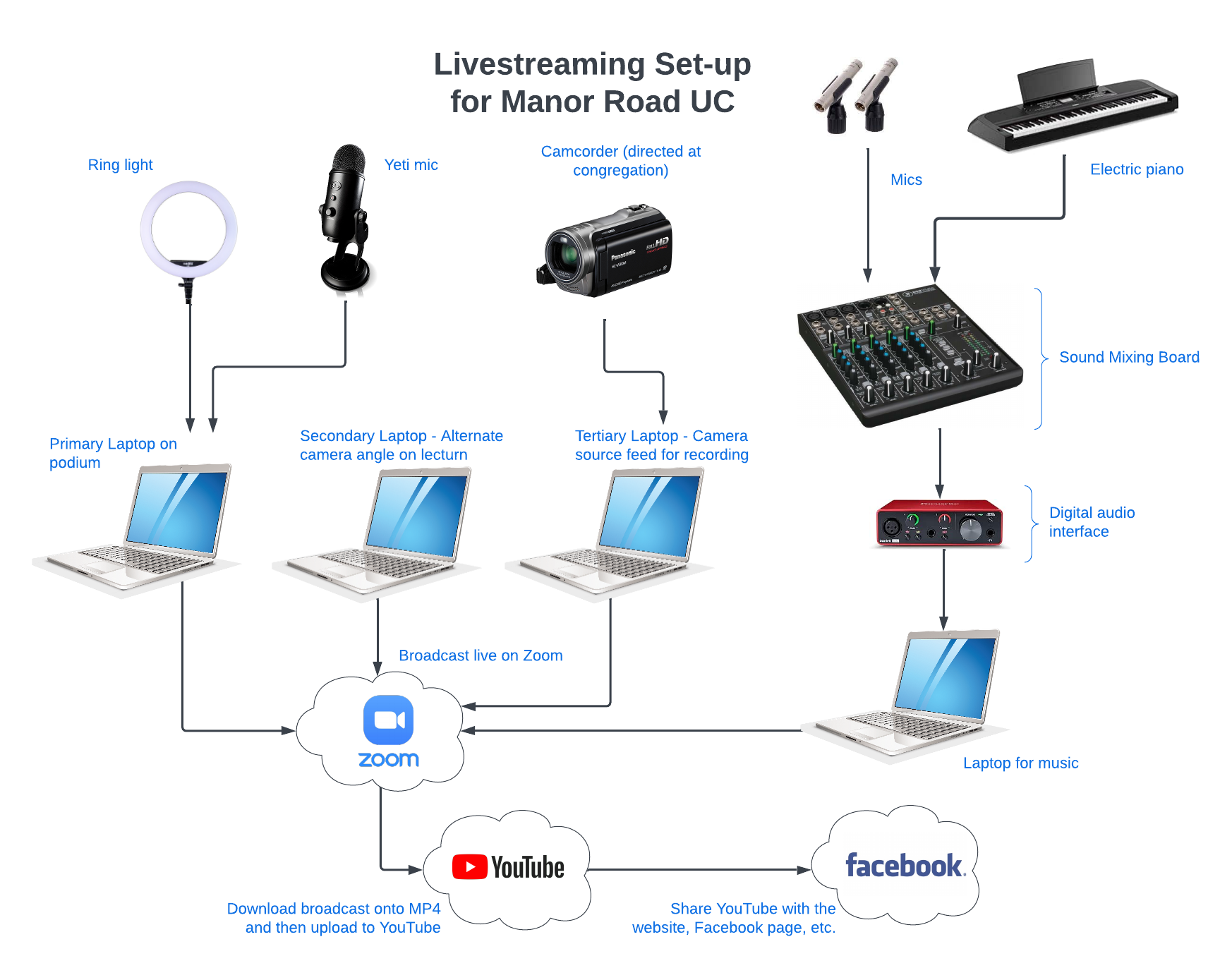
| This is an example of a complex livestreaming setup. They use a different laptop to control each part. |
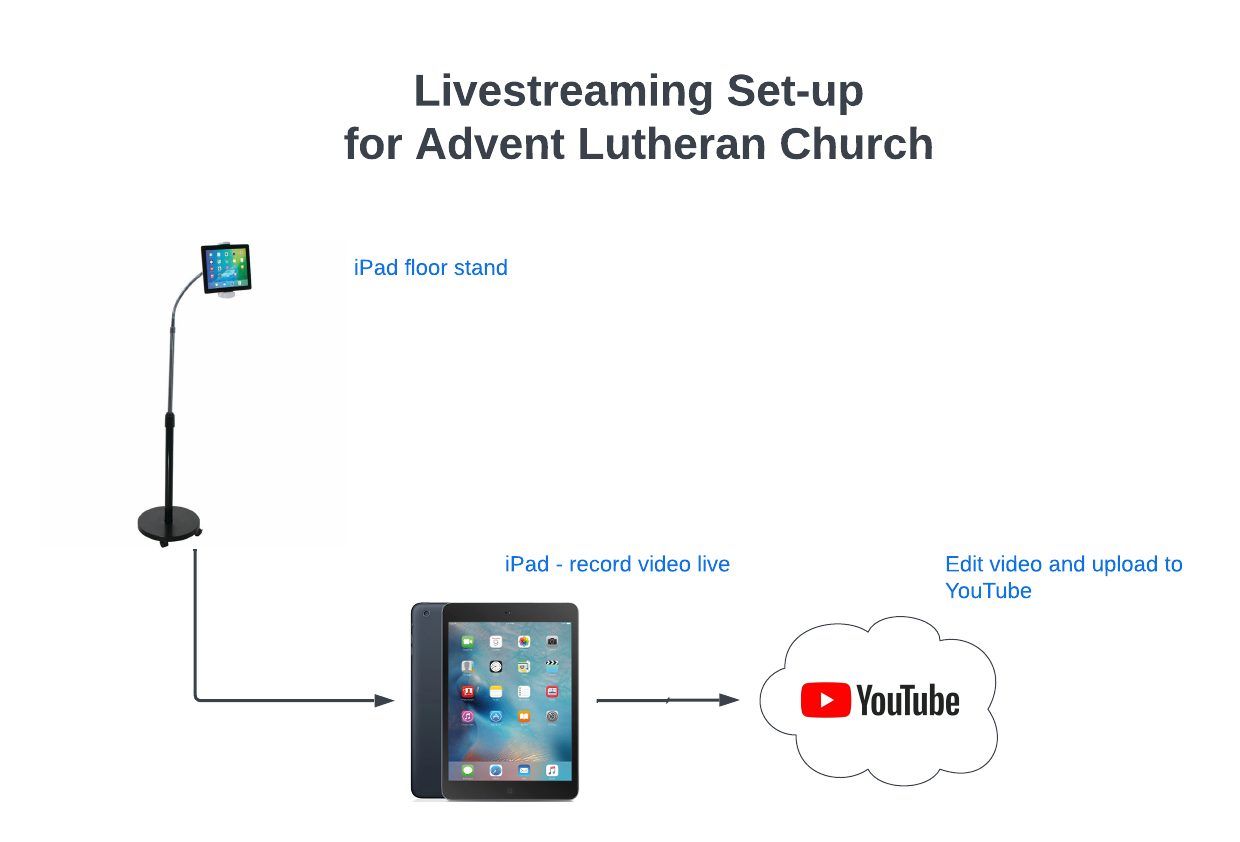
This is an example of a simple setup. They only use an iPad and an iPad stand to record their service. |
|
|
 |
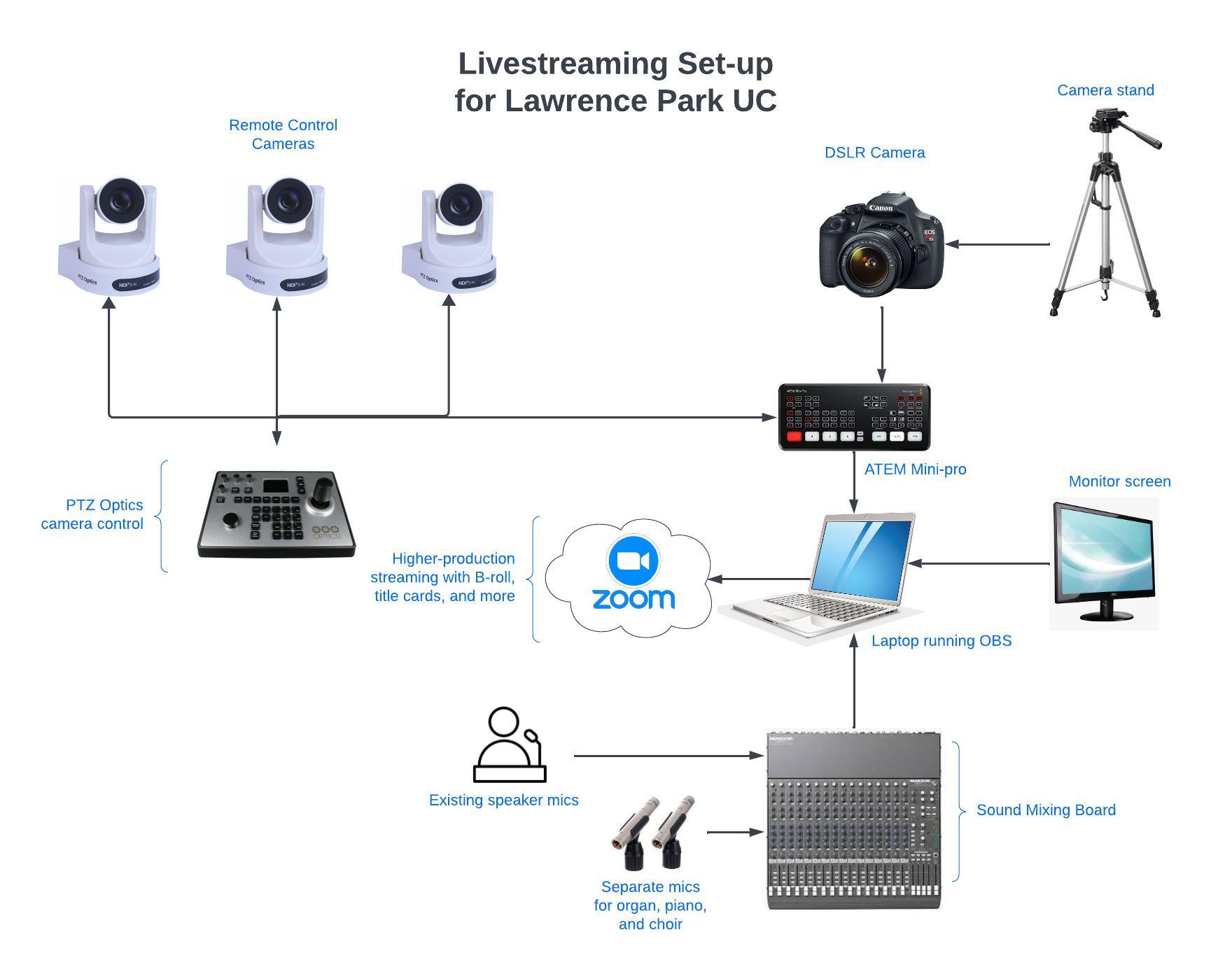
| This is an example of a livestreaming setup with OBS. They use preset control boxes to make it easy to use. |
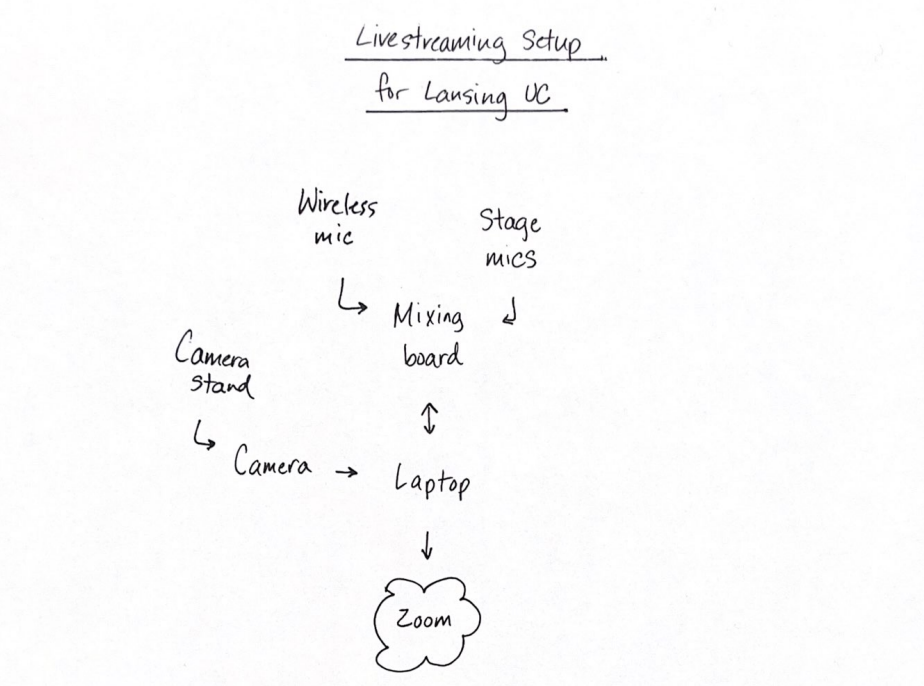
This is an example of what a hand drawn livestreaming setup can look like. |
Modifié le: lundi, 19 février 2024, 16:03