
CHURCHx
Lifelong Learning and the Changing Landscape of Theological Education
Guest blog by Helen Blier, Ph.D., Director of the Center for Lifelong Learning at Columbia Theological Seminary and President of ALLLM.
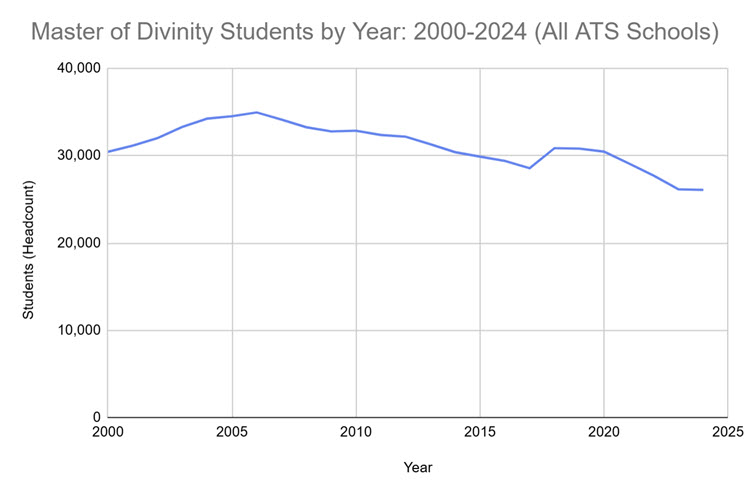 While formal degree programs in accredited
schools have overall seen a steady decline in enrollment since 2005, growth is
percolating in the form of lifelong learning and continuing education programs
for ministry.
While formal degree programs in accredited
schools have overall seen a steady decline in enrollment since 2005, growth is
percolating in the form of lifelong learning and continuing education programs
for ministry.
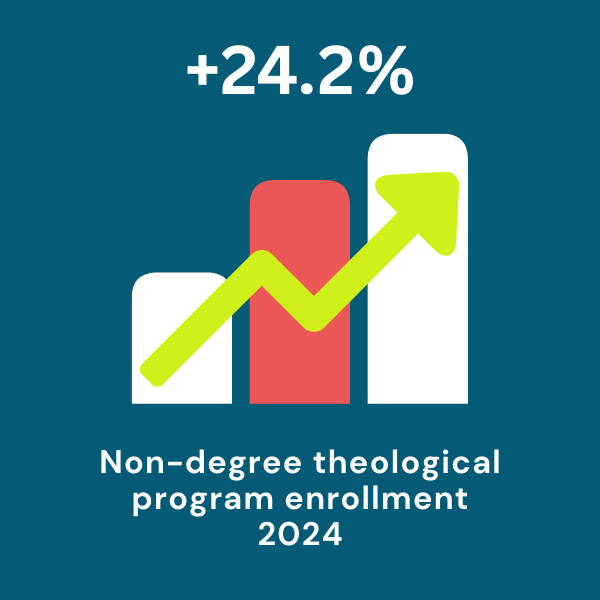
The numbers tell a compelling story. In 2024, The Association of Theological Schools, the accrediting body for schools of theology in North America, reported that enrollment in non-degree educational programs in member schools had risen a whopping 24.2% since the previous year (view the report here). This doesn’t include, of course, the many programs led by organizations not affiliated with ATS. You can bet that the real numbers are likely higher. This is great news, not just for those serving in ministry but also for the theological schools and denominations committed to nurturing and sustaining effective leaders.
 Recognizing this dramatic shift, the Association
of Leaders in Lifelong Learning for Ministry (ALLLM) set out to map the
landscape of these programs. Continuing education had already been identified
as one of five core pillars of support for ministry professionals, as noted by
Austin and Comeau in their landmark study, Caring for Clergy. However, good
information about these programs and their leaders had not been collected since
the late 90s. Noting this gap, ALLLM leadership had conducted a survey of
lifelong learning leaders and their work at the beginning of the pandemic,
which proved to be a watershed moment for so much of theological education and
congregational life. In early 2025, they sent out the survey again to see what
had changed. What did we discover?
Recognizing this dramatic shift, the Association
of Leaders in Lifelong Learning for Ministry (ALLLM) set out to map the
landscape of these programs. Continuing education had already been identified
as one of five core pillars of support for ministry professionals, as noted by
Austin and Comeau in their landmark study, Caring for Clergy. However, good
information about these programs and their leaders had not been collected since
the late 90s. Noting this gap, ALLLM leadership had conducted a survey of
lifelong learning leaders and their work at the beginning of the pandemic,
which proved to be a watershed moment for so much of theological education and
congregational life. In early 2025, they sent out the survey again to see what
had changed. What did we discover?
The context of the research is crucial. The five years since the original study have been exceptionally turbulent. The COVID-19 pandemic completely upended established patterns of education, church, and community. Since then, news feeds have been filled with stories of pastor attrition, continued congregational decline, and sociopolitical polarization, with churches often finding themselves to be hotspots of broader societal conflict. If ministry was challenging before, it's become even harder.
And if this wasn’t enough transition, denominations and theological schools were already wrestling with the effectiveness of existing models for preparing and sustaining ministers. For more than a century, the dominant approach for this preparation has been a “professionalization” model, much like those in medicine or law. This model has depended on (typically) a three-year degree that would sufficiently equip people to do pulpit ministry in traditional congregations. While this approach served its purpose for a time, it is no longer sufficient. Congregational life continues to go through transition with unprecedented speed. Ministers today need both enhanced skills and a nimble imagination to use those skills wisely as both “ministry” and “church” become more fluid.
In short, the current context for ministry is ripe for innovation and adaptive learning.
So, back to lifelong learning. What purpose does it serve, and who are the people leading these important efforts? The 2025 data, comprised of 57 survey responses from 140 identified lifelong learning program leaders in accredited theological schools, offer some compelling insights.
First off, the leaders of these programs are nimble and flexible, able to pivot and be responsive to the current needs of those who do ministry. This continues to be true from the initial 2020 results. In 2020, nearly all of the respondents reported pivoting swiftly to online and hybrid modalities, with many noting that their transition had happened more swiftly than the degree programs’ shifts. In the recent data, more than half reported continued evolution in program platforms and content since the pandemic. When asked to project what their programs will be like in five years, respondents used phrases like “more resources for those in ministry;” “partnerships and collaboration” with outside stakeholders; and “continued growth.”
A colleague once likened the Church’s attempt to change to an aircraft carrier trying to turn around in high seas; it would happen eventually, but the pace was ponderous at best. If that is the case with larger institutions, then lifelong learning programs and their leaders are more like sailboats, giving their host institutions the capacity to tack and pivot in response to prevailing winds.
 The leaders of these programs have a clear
sense of the value of their work and with that, a deep sense of vocation.
All but four respondents agreed or strongly agreed with the statement, “The
work that I do is aligned with my personal sense of vocation.” Similarly, all
but 5 respondents agreed that “Lifelong learning is the future of theological
and religious education.” As one
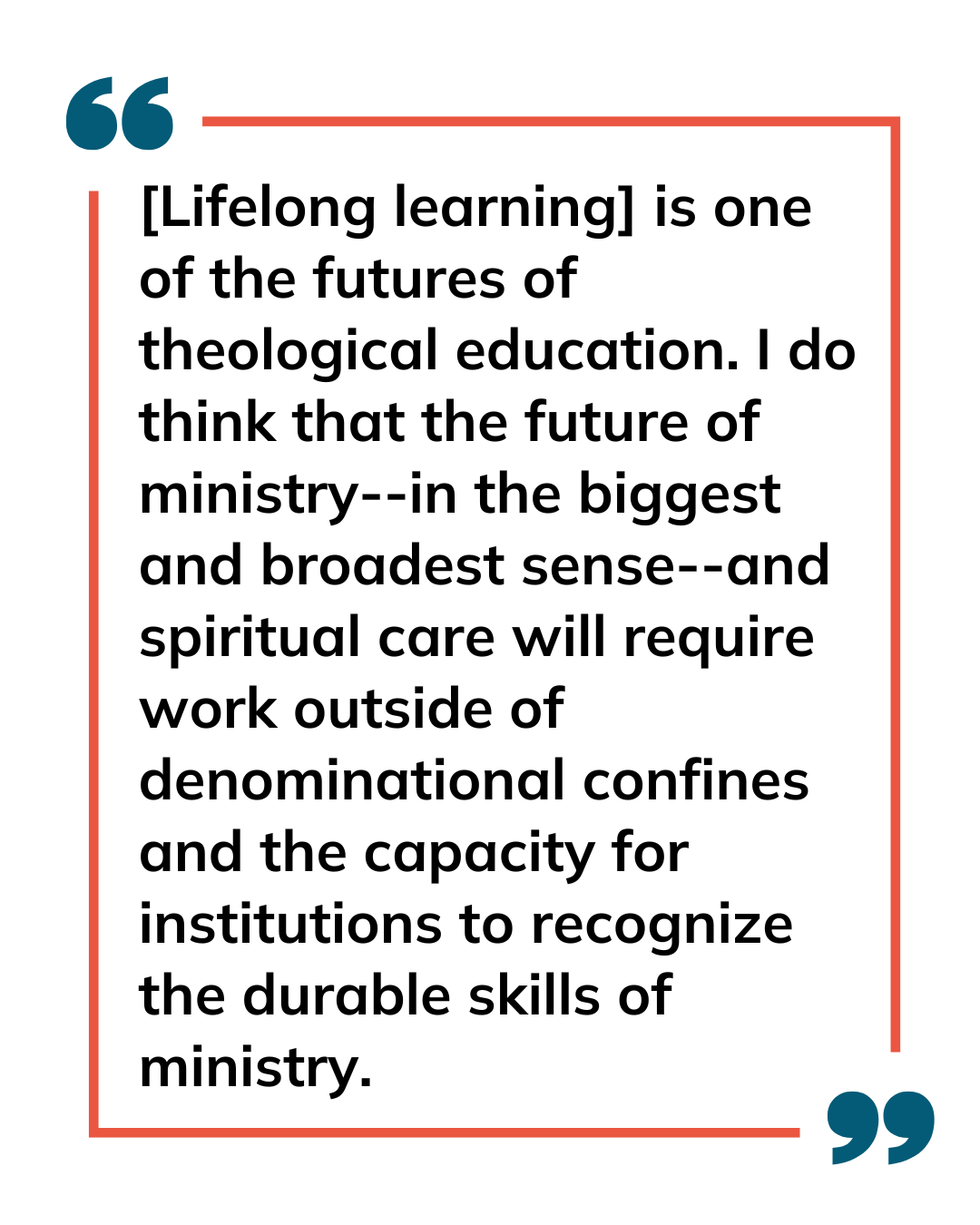
forward-looking director commented, “[Lifelong learning] is one of the futures
of theological education. I do think that the future of ministry--in the
biggest and broadest sense--and spiritual care will require work outside of
denominational confines and the capacity for institutions to recognize the
durable skills of ministry.”
The leaders of these programs have a clear
sense of the value of their work and with that, a deep sense of vocation.
All but four respondents agreed or strongly agreed with the statement, “The
work that I do is aligned with my personal sense of vocation.” Similarly, all
but 5 respondents agreed that “Lifelong learning is the future of theological
and religious education.” As one
forward-looking director commented, “[Lifelong learning] is one of the futures
of theological education. I do think that the future of ministry--in the
biggest and broadest sense--and spiritual care will require work outside of
denominational confines and the capacity for institutions to recognize the
durable skills of ministry.”
However, the survey also revealed a challenge. Most lifelong learning leaders report that their institutions have a long way to go in providing effective support for these programs. (Remember that aircraft carrier reference?) Even though the leaders of these programs and indeed the enrollment data point to these non-degree programs as being a crucial part of theological education’s future, truly supporting them will mean making hard decisions. Institutional infrastructures have been built over decades (centuries?) to support ministers and their preparation in a way that typically assumes traditional educational structures. For example, the median number of full-time staff for the lifelong learning programs surveyed was just 2.2, and 2/3 of the directors have additional responsibilities. However, more than half of the programs surveyed annually served over 250 participants with an average of 81 programs a year. By contrast, the median number of degree-seeking students in accredited theological programs is 155, according to the 2024 ATS Annual Data Tables. These students are supported by comparatively robust staff, faculty, and resources even as their numbers decline.
Supporting formational and non-traditional learning in new ways means a realignment of institutional priorities and resources. Ultimately, it means rethinking how we “do” theological education and the work it for which it prepares people. This requires uncoupling the intent (theological education and formation for ministry) from the means (degree programs, for example).
But I and my colleagues in ALLLM firmly believe this realignment is worth the effort. And for those of you lamenting the decline of churches, of seminaries, of the industry, I encourage you to look away from the empty tomb back to the garden. See where the growth is! That growth is in lifelong learning, demonstrating that there is still a need and appetite for theological education – and in new ways of being church and configuring ministry. And all of this can be supported by a robust and well-supported lifelong learning program.
Want to learn more about the lifelong learning research or become part of the ALLLM community? Visit www.ALLLM.org or contact Helen Blier at blierh@ctsnet.edu . Reports on the data will be published in Fall 2025!
 Author bio: Helen Blier has served in a number of roles, all of
which have been expressions of her basic curiosity in what makes people tick
and how they can live lives of vocational integrity in light of that. She currently
serves as the director of the Center for Lifelong Learning at Columbia
Theological Seminary in Decatur, GA and is the president of ALLLM, the
Association of Leaders for Lifelong Learning in Ministry. She is a resource
consultant for the In Trust Center for Theological Schools and regularly
presents and publishes on continuing education and lifelong learning. You can
reach her at blierh@ctsnet.edu .
Author bio: Helen Blier has served in a number of roles, all of
which have been expressions of her basic curiosity in what makes people tick
and how they can live lives of vocational integrity in light of that. She currently
serves as the director of the Center for Lifelong Learning at Columbia
Theological Seminary in Decatur, GA and is the president of ALLLM, the
Association of Leaders for Lifelong Learning in Ministry. She is a resource
consultant for the In Trust Center for Theological Schools and regularly
presents and publishes on continuing education and lifelong learning. You can
reach her at blierh@ctsnet.edu .
New Feature: Single Sign-On with ChurchHub
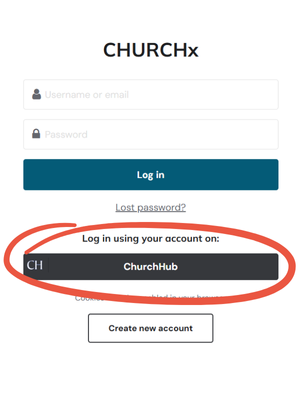 We’re excited to announce a new integration that makes life a little easier for many of our learners: Single Sign-On (SSO) with ChurchHub is now live on CHURCHx!
If you’re part of the United Church of Canada and have a ChurchHub account, you can now use that same login to access CHURCHx—no need to remember a second password.
Why Use ChurchHub SSO?
There are two big benefits to using this new feature:
One Login to Rule Them All
You already use ChurchHub to manage your profile as clergy, staff, or candidate within the United Church of Canada. Now, you can use those same credentials to log in to CHURCHx—no extra username or password required. It’s seamless, fast, and secure.
Smarter Course Tracking
ChurchHub and CHURCHx now speak to each other behind the scenes. When you log in using ChurchHub, CHURCHx can automatically report course completions back to ChurchHub. That means:
-
No need for UCC staff to update your profile
-
No risk of missing compliance deadlines
- No problems with mismatched email addresses between the two systems (you can have one email on one system and different contact email on the other system--no problem)
This is especially helpful for those required to take mandatory learning—like Boundaries training or Anti-Racism education—through CHURCHx.
Your Privacy Matters
We want to be crystal clear: CHURCHx never sees or stores your ChurchHub password. The login process is securely handled by ChurchHub using industry-standard encrypted authentication tools. You benefit from convenience without compromising security. Also, it's worth noting that the ChurchHub only has access to information about ChurchHub members and official United-in-Learning courses. The ChurchHub system cannot access information about courses you take from other partners.
Who Can Use It?
This feature is currently available to any CHURCHx user with a valid ChurchHub account. If you’re a member of the United Church of Canada, this likely includes you! If you're not sure, check with your regional council or ChurchHub administrator.
💡 If you're not with the United Church of Canada, no worries—your CHURCHx login still works just fine, and you won’t notice any changes.
How Do I Get Started?
Next time you go to log in to CHURCHx, just click the "Sign in with ChurchHub" button. That’s it!
We’re always looking for ways to reduce friction and increase value for our learners. This new integration is part of that ongoing effort. If you have questions or run into issues, reach out to our support team anytime.
The Creative Crossroads of Theology and Technology - A Conversation with Tay Moss
 Readers of this blog may already be familiar with the subject of this interview, but in today's post, we wanted to take a closer look at and learn more about the creative voice behind CHURCHx; Tay Moss.
When Tay and I first discussed the idea of putting together a 20-questions style interview, one of the touchstones brought up was Inside the Actors Studio. James Lipton, at the end of each interview, would ask his guest 10 questions, which were originally asked by host Bernard Pivot on the French series “Bouillon de Culture”. Those familiar with Inside the Actors Studio might have an inkling as to what the final question of this interview may be, but I’ve chosen not only to end on one of Pivot’s questions but also open with one.
EM: You’re a minister, an education professional, a talented speaker and involved in so many different areas; I would imagine words are extremely important to you. Tay, what’s your favourite word?
TM: Lush.
EM: Oh, very good one!
TM: It’s a texture, it’s that feeling of those really, really soft blankets that are really fuzzy, and you don’t want to put them through the wash because you don’t want them to lose that fuzzy, soft quality. They’re just like one giant static electric charge, you know? And they’re especially good when they’re put on very soft couches and you just kind of sink into them and you can’t get out easily because you’re sunk into it and can’t get any leverage to escape, like a ball pit.
EM: Conversely, what is your least favourite word?
TM: No. (laughter) No, I really try to make it a personal discipline to say Yes as much as I possibly can to everything that life has to offer. And I think leading a life that is affirmative of everything as much as possible is a really good philosophy to live by because it means you don’t miss out on opportunities. And I know people who have turned down opportunities for what I thought were poor reasons, you know, because of insecurities and stuff. And it’s like, oh, don’t say no to that, it’s perfect!
 EM: Speaking of words, what was the last book you read?
TM: The Sparrow. I forget the name of the author[1], but it’s a science fiction book about Jesuits in space. Basically, the story is that scientists discover signals from an alien planet, and the Jesuit order is sponsoring these scientists so they kind of have a leg up on everybody. And while the rest of the world is trying to figure out what to do with so much disagreement among the world’s nations, the Jesuits, because they have the resources and other tools, are able to put together a private space mission. Basically, they send linguists and anthropologists and other scientists all the way to this other planet to study the culture. It’s a story about human encounters with otherness; it’s a story about language; it’s a story about culture, and about the failure of our imagination to conceptualise the world as it is. Or people as they are. It’s a failure of imagination, somehow, that keeps us from being able to embrace what IS in a rich and full way.
 EM: Now I need to add that to my reading list! As what
sounds like quite a perspective-changing piece of media in its own right, is
there another book or film that changed your perspective in some way?
EM: Now I need to add that to my reading list! As what
sounds like quite a perspective-changing piece of media in its own right, is
there another book or film that changed your perspective in some way?
TM: There have been so many. I love movies, but I’ll pick one, which is The Big Sleep, which is a classic noir movie starring Humphrey Bogart and Lauren Bacall. And it’s a very sophisticated movie with a plot that goes right along and expects you to keep up with the facts. It’s a detective story, so there’s that element of whodunnit, but one of the things I really admired is the portrait of the detective, Phillip Marlowe. He’s incredibly intelligent and is also trying to navigate complex moral situations where it’s not clear whose interests should be prioritised. And the other thing about it I really admire was it was a window into adult conversation, adult society. I saw it in college, so not that young, but there’s a kind of specialness to the quality of the whole word that movie evokes. It helped me to shift my thinking about storytelling and how storytelling should work, and how knowledge works.
EM: You obviously have a love for storytelling and media, and you’re someone who picks up quite a lot very quickly. If you could instantly master any hobby, skill, language, what would it be?
TM: I’d like to learn how to play a musical instrument at a high level. And I wouldn’t even care which one. I think piano would be amazing; I think violin, I could do duets with my wife and kids; guitar would be fun at parties, you know? I’d like to learn an instrument.
EM: What’s a skill you wish you had learned earlier in life?
TM: How to negotiate for what I want in complex situations. I’ve gotten much better at that as I’ve gotten older. I think earlier in life, I kind of took what I could get, and maybe as we go along in life, we learn skills to negotiate needs.
EM: From the past into the present; what are learning about yourself lately?
TM: That I need to get better at creating and maintaining my own boundaries about what I will commit to do. (laughter)
EM: Tricky, tricky with that aversion to saying No!
TM: Exactly, how do you balance that? But I’m doing way too much simultaneously and it’s a period of my life where the work is personally very satisfying and a period of astounding productivity, I’m making stuff left and right and doing so much that’s so very rewarding, but on the other hand, it’s not sustainable at this pace. So, I’m really hoping that once this research project is done this summer, I can really kind of back off on some of the stuff that I’ve been working so hard on.
EM: There are certainly quite a number of hats you wear! But what profession other than your own would you like to attempt?
TM: I would love to be a professional mariner. Being a Navy captain would be quite interesting. But that’s actually quite a short part of the career, to have that opportunity, whereas if you’re the captain of a private sailing vessel, like a large yacht or something like that, you can have a very long trajectory of a career where you’re in charge of just, big boats. Maybe a container ship? But if I was the captain of a private yacht, that would be fun because you’d be travelling all over these exotic locations, the Caribbean and the Mediterranean. And I would want it to be a ship that belongs to an owner that has some adventure to them, you know? So, we would go to the Arctic, the Antarctic, we wouldn’t just stick to the Caribbean and the equator, you know.
EM: You said that this is a very productive and professionally fulfilling time for you. What’s one thing in particular that you think CHURCHx does exceptionally well?
TM: The versatility of the platform is unmatched. It’s very hard to think of what I can’t do with it. It’s a very, very powerful tool, which is part of the challenge, because it’s the tyranny of the blank page. You know, when you give people a blank page and say, draw whatever you want, it’s very hard for them to even start. So, what I’ve realised is I have to create more templates and more helps to even get people started in these conversations, in these journeys of creating things. But yes, I think that’s something that CHURCHx does extremely well.
EM: And what’s one goal you’d love to see CHURCHx achieve this year?
TM: I want to create an interface for smartphones into CHURCHx that is easy to use. It may not have a lot of the features that CHURCHx normally supports but could create an answer to the problems of people not having computers, not knowing how to use these things, etc., that would be so easy that anybody could do it. It would be a very simple tabular interface with easy access to everything you need, and that’s becoming increasingly plausible because AI makes it much easier to sort and classify information. I’ve also been experimenting with the ability to create a phone interface into CHURCHx itself, so that someone could call and put in a code number to access a course, and then with just audio cues back and forth, access the content of that course through the phone. For example, it would say, “the first activity is to read this story. Would you like me to read it to you?”
EM: I imagine that would also serve towards accessibility as well.
TM: That’s one of the things I’m trying to solve is improving the accessibility. Right now the site is accessible by the conventional standards of web accessibility, but I want to go beyond conventional standards into an extraordinarily well accessible site.
EM: What does success mean to you?
TM: Success means that I will have altered the conversations of which I am a part, that the culture of these institutions I’m involved in will actually be noticeably different because of the interventions that my team and I made in that space. So, I actually want to change how theological education is done in North America, you know? And that sounds ridiculous, but it is within reach, I don’t think it’s that far off. I think if I can develop a couple more key strategic pieces and have them fall into place, I think that impact could happen. Even with the AI stuff, for example, it could be that I create some kind of killer AI teaching app that is the thing that everybody wants to use to teach theology, you know? Or it could be the accessibility thing I was just talking about, but that’s the thing, people are just like, “Oh my God, this makes it so easy for us to deliver our content to our people!” I don’t know, but that would be success to me.
EM: What’s the best, most meaningful compliment you’ve ever received?
TM: My father once said to me, we were sailing together or something, but I did something, I don’t remember what, but he said, “yet another thing that you’re better at than I am”.
EM: That’s an extremely impactful thing to hear from a parent!
TM: And at that point, I didn’t believe that there was anything I did better than him, you know? But he was acknowledging that I somehow, in his perception, surpassed him, which I hadn’t really thought about.
EM: Thinking about family, if you could create a new holiday, what would you celebrate?
TM: Maybe Hammock Day. Where everyone has to just go camp out in a hammock for a day.
EM: What is something you’re deeply grateful for?
TM: I am deeply grateful to live in a time where so much is changing so rapidly, and in ways that require adaptive and imaginative leadership. Because I feel like that just goes right into some of the gifts that I have, and so I feel like I’m very well suited to this age, bouncing around between all these things. An example is Vibe Coding! This idea that you can build a computer program where we’re using AI has just unlocked so much for me, because now all my software fantasies can become reality without having to pay much, just my time really, to create computer programs that fulfill these fantasies. It's extraordinary that we live in that time.
EM: Before diving into all this tech, what initially called you to ministry?
TM: I felt like I was called to be on the edge of the community, and to occupy the thin places between this world and the next, to kind of be in that liminal edge, and to look into the mystery and then to turn around and look back toward the people and try to proclaim or describe what I see. And that’s harder than it sounds, to maintain that position! It’s lonelier than it sounds, but you get to see both sides of things at the same time, and it feels like that with something like CHURCHx as well, where I see both the perspective of the users and I see the perspective of the institutions that are trying to serve those users, and I see it from the perspective of the technology and what the technology’s trying to do. So, I see all these perspectives at once, and it gives me a very privileged advantage and viewpoint. And from that place, I try to kind of solve it for all people, you know? Try to work with each of these constituencies’ perspectives together to try to create a new thing.
EM: And tying that into the amount of tech work you do within that world, what are the challenges of digital ministry and digital theological education?
TM: I think the biggest challenge is not really unique to technology per se, but it’s the fact that the pace of social and cultural change is so fast, that a lot of the old adaptations to what was there have fallen apart, and the church has not yet built ways to adapt faster to deal with this rate of change. That’s the biggest challenge, and the tech adaptation just comes along with that. Unless the church is forced to adopt it like they did during COVID, it’s very difficult to get them to adopt technologies unless they absolutely have to.
EM: It’s very clear that there are many hats you wear and many projects you’re involved in, but either within your professional or your personal life, what is your favourite way to give back or serve your community?
TM: I give away a lot of tech help for free, that’s definitely something I do a lot of (laughter). I think one of the biggest ways that I give back is that I actually still do parish ministry. Once a month or so I preach and preside, and I don’t have to preach, I could say that my Monday to Friday job is a fulltime job – more than a fulltime job! – and it’s enough, but I still want to preach, and I feel like I’m a better preacher now that I’ve ever been. And I think part of that is because I’m not doing parish ministry, so I’ve got all kinds of pent up, you know, prophetic energy or whatever, and that’s where I can say, Ok, here we go. I’ve just been very pleased with my preaching, and I think it’s a really nice thing that I’m able to give to the community.
EM: And with all that you do and have done, what’s one thing that you’ve done that you’re proud of?
TM: I’ll pick one I haven’t talked about yet. How about the tree house that I built for my kids? I built a proper treehouse, and I built it to code, pretty much as you build a deck, so it’s got proper joists, it’s spaced properly and all that, and it’s a good six feet off the ground, with a 10x20 foot platform, so they can have their friends up there too.
EM: It’s clear that family and ministry mean a great deal to you. Who or what inspires you?
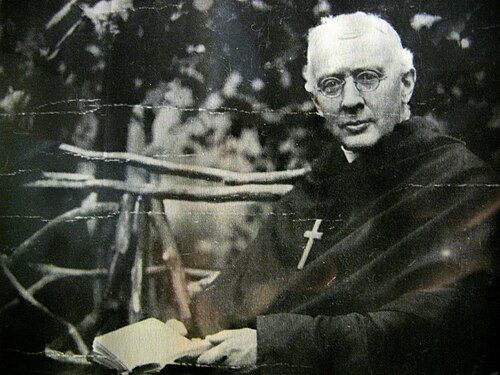 TM: Who comes to mind right now would be James Sargent
Huntington III, who was the founder of the Order of the Holy Cross, and he was
somebody who forsook opportunities to be successful by the world’s standards at
the time in order to follow the monastic call, which was incredibly unusual. He
was, socially, extremely progressive, really believed strongly in economic
reform to the taxation system in a way that would have totally undermined the
capital markets as we know them now. He was a very remarkable person, very
inspiring, and he has these intense eyes, when he looked at you he really
looked through you, you know, like he saw you in a deep way; he was charming
and intense and a good preacher and builder too, building an organisation from
nothing to an organisation that still exists today. And another sort of thing
that inspires me is Doctor Who. I mean, travelling around the universe and
through time, fixing different problems, using a combination of skills, one of
the most important ones being good humour.
TM: Who comes to mind right now would be James Sargent
Huntington III, who was the founder of the Order of the Holy Cross, and he was
somebody who forsook opportunities to be successful by the world’s standards at
the time in order to follow the monastic call, which was incredibly unusual. He
was, socially, extremely progressive, really believed strongly in economic
reform to the taxation system in a way that would have totally undermined the
capital markets as we know them now. He was a very remarkable person, very
inspiring, and he has these intense eyes, when he looked at you he really
looked through you, you know, like he saw you in a deep way; he was charming
and intense and a good preacher and builder too, building an organisation from
nothing to an organisation that still exists today. And another sort of thing
that inspires me is Doctor Who. I mean, travelling around the universe and
through time, fixing different problems, using a combination of skills, one of
the most important ones being good humour.
EM: Good humour, communication, and love.
TM: Exactly, exactly.
EM: I mentioned when we started that those familiar with Inside the Actors Studio might know what question would be wrapping up this interview, but Tay, in your view of Heaven or the afterlife, what would you like to hear God say when you arrive?
TM: Well done, good and faithful servant.
Brainstorming 101: Beyond the Blank Stares
Brainstorming doesn’t have to be boring or stiff. In fact, the best ideation sessions are energetic, inclusive, and even a little goofy – all while producing serious results. In this article, we’ll explore how to lead a team in brainstorming and ideation using creative, fun approaches that generate innovative ideas and strong buy-in from everyone involved. We’ll look at key frameworks (like Design Thinking and Liberating Structures), handy tools (from sticky notes to Miro boards), and even dive into real-life examples – including a church launching a new ministry and a seminary planning a Lilly Grant project. Grab your markers (and maybe some coffee), and let’s get those ideas flowing!
Why Brainstorming (Done Right) Matters
Brainstorming brings people together. When a team gathers around a whiteboard or flipchart to share ideas, something powerful happens: everyone feels involved and invested. Group brainstorming opens the door to better communication and creates “common ground where everyone has a stake in the outcome”. In other words, when people feel they’re part of creating a solution, they’re far more likely to support it. This sense of ownership turns a skeptical crowd into enthusiastic partners – a win-win where leadership gains fresh ideas and the team feels valued.
 Inclusion = Innovation. The more diverse the brainstorming group, the richer the ideas. Research shows that diverse teams solve complex problems faster than homogenous ones, because varied perspectives spark more creative solutions. So involve folks from different roles, backgrounds, ages – in a church setting, that might mean the pastor, the youth rep, the tech volunteer, and the longtime elder all at the table. Everyone brings a unique lens. As one innovation article put it, brainstorming is a “collaborative ideation process, a symphony of minds” that dismantles conventional thinking and encourages a free flow of diverse and inclusive ideas. When you include many voices, you get ideas one person alone would never imagine.
No bad ideas (for now). Crucial to successful ideation is creating a judgement-free zone. Google’s research on team performance found that psychological safety – feeling safe to take risks or share wacky ideas without being ridiculed – was the number one factor of high-performing teams. So, set ground rules that defer judgment and welcome wild ideas. In classic IDEO fashion, remind the group: “There are no bad ideas in brainstorming.” Go for quantity over quality at first – you can always trim later. IDEO’s own seven rules for brainstorming include “defer judgment” and “encourage wild ideas,” because there’s often only a thin line between an outrageous notion and a brilliant solution. By suspending criticism, you create a safe space that lets creativity flow. (And yes, that means the suggestion of a church petting zoo could inspire the next great outreach idea – don’t knock it ’til you’ve heard it!)
Have fun with it. Brainstorming should feel more like play than work. Use humor, give permission to be silly, maybe even supply some colorful pens or toys to lighten the mood. When people are laughing with each other (not at ideas), they relax – and relaxed minds think more freely. One financial consulting article even advises teams to “have fun, laugh and be creative — wild and crazy is okay!” as a rule of brainstorming. When the session is enjoyable, participants stay energized and engaged. As a result, you not only generate lots of ideas, but you also strengthen team morale. The bottom line: a fun atmosphere isn’t just goofing off – it’s fuel for innovative thinking.
Proven Frameworks for Innovation
To channel all that creative energy productively, it helps to have a framework. Two of our favorites are Design Thinking and Liberating Structures. They offer some structure (so the brainstorm doesn’t derail into chaos) while still keeping things fun, human-centered, and collaborative.
Design Thinking: Human-Centered Ideation
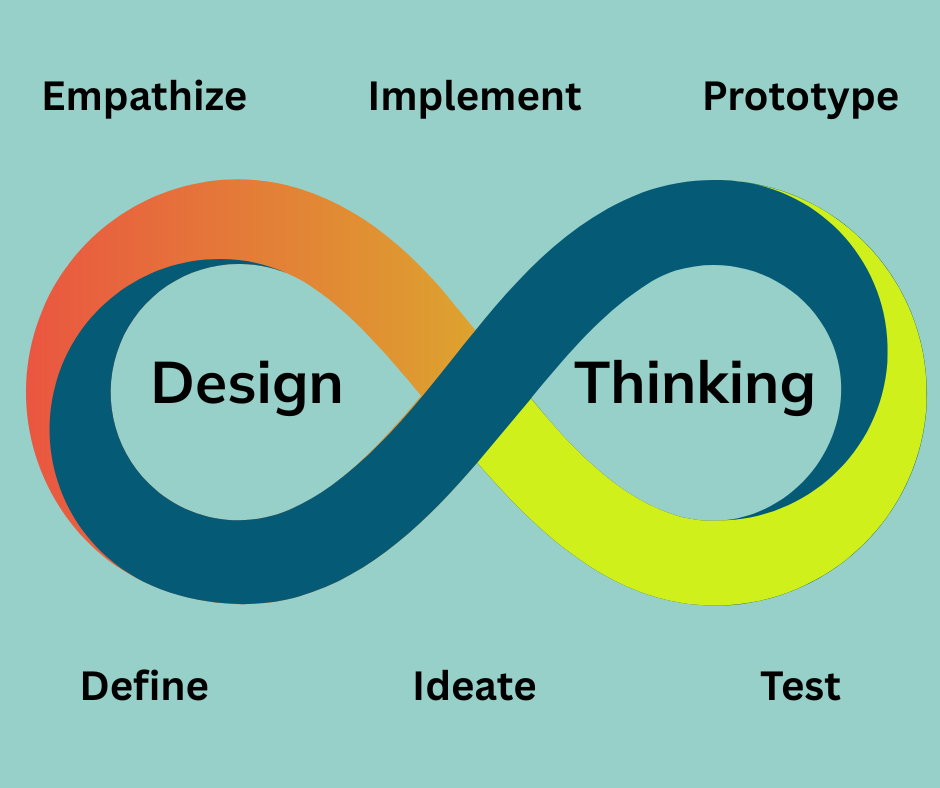 Design Thinking is a popular framework for innovation that centers on understanding people’s needs and iterating toward better solutions. Often summed up in five stages – Empathize, Define, Ideate, Prototype, Test – it’s essentially a cycle that encourages teams to empathize with users, clearly define the problem, generate lots of ideas, and then try things out quickly. For our purposes, the Ideate stage is where the brainstorming magic happens.
In design thinking, the ideation phase is all about thinking outside the box. At this point, you’ve done your homework – you understand your “users” (be they church members, students, whomever) and have defined the challenge – so now you free your mind to find fresh approaches. One guide describes this step as “look for alternative ways to view the problem and identify innovative solutions… Brainstorming is particularly useful here.”. The idea is to generate as many ideas as possible, without worrying (yet) about practicality. Constraints? What constraints! As ministry coach Ryan Panzer puts it, in the ideate phase we “throw out the constraints and limitations that might inhibit our creativity.”
This mindset can be a game-changer in church settings. Often, church teams are quick to say “we can’t do that” – whether due to budget, tradition, or the ever-popular “we’ve never done it that way” refrain. Panzer humorously observes, “I’ve never understood how an institution supposedly anchored in God’s abundance can be so adept at pointing out resource constraints!”. In design thinking, we set those concerns aside temporarily. During brainstorming, no idea gets shot down for being unrealistic. If someone blurts out, “What if we live-stream the service from a hot air balloon?” the response is, “Interesting – tell me more!” It’s all about freewheeling creativity. We’ll worry about budgets and feasibility later. By embracing a playful, “yes, and…” attitude (instead of “yes, but”), teams often stumble upon truly innovative solutions that wouldn’t have emerged if we’d started with “No.”
Another strength of design thinking is its emphasis on visualizing and prototyping ideas. Brainstorming in this framework often goes beyond talking – teams sketch concepts, build crude prototypes, or role-play scenarios. It’s a hands-on, try-it-out approach. For example, if a team is brainstorming a new community outreach event, they might quickly storyboard the attendee’s experience or even set up a mock event in the fellowship hall to see how it feels. This makes the process lively and concrete. People get to see and touch potential solutions, which is both fun and illuminating. As one church leader noted, design thinking invites people to “play, experiment and embrace failing and starting over again and again” – more like building sandcastles than drafting blueprints. That playful, trial-and-error ethos keeps creative sparks flying.
In short, Design Thinking gives your brainstorming some direction (so it’s rooted in real human needs) while encouraging bold experimentation. It’s a powerful recipe for innovation, whether you’re designing an app or reimagining a church program. No wonder design-driven organizations significantly outperform others in the long run – they’ve made continuous ideation and iteration a habit, not a one-off event.
Liberating Structures: Including Every Voice
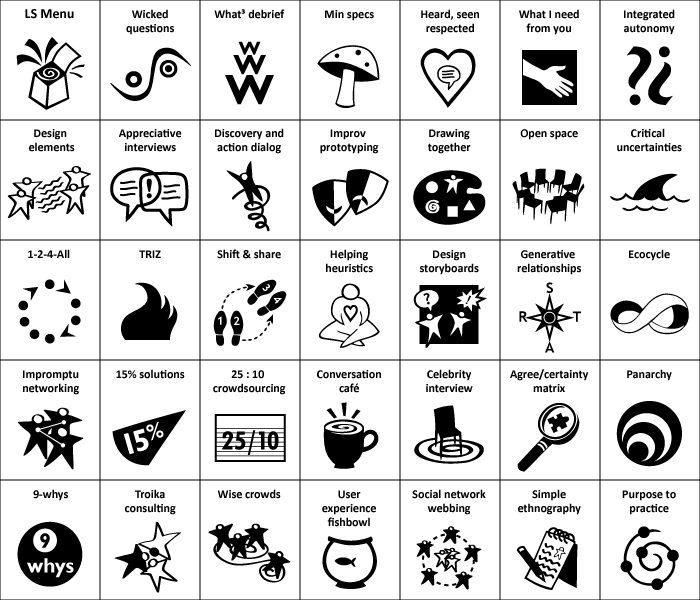
What makes Liberating Structures so effective (and fun) is that they break the mold of boring meetings. Think about the typical brainstorming meeting: either it’s a free-for-all where only the loudest voices get heard, or it’s a stiff round-robin that puts everyone to sleep. LS throws that out. For example, the popular “1-2-4-All” method starts with silent individual brainstorming (1), then pairs discuss their ideas (2), then pairs join another pair to share and build (4), and finally the whole group debriefs (All). During the solo and small-group phases, no one is allowed to dominate or critique – people jot their ideas on sticky notes quietly, then each person shares one-by-one in their duo or quartet. By the time you reconvene as a full team, every single person has contributed ideas, and many thoughts have cross-pollinated. The result is a wall plastered with contributions from introverts and extroverts alike. Only after generating a ton of ideas do you move into grouping themes, discussing, and prioritizing. The “no talking during the 1” rule and the step-by-step format may feel rigid at first, but paradoxically it leads to more freedom for shy participants and more variety of ideas. It’s structured brainstorming that still feels organic and lively.
Another Liberating Structure, “25/10 Crowdsourcing,” turns idea ranking into a fast-paced game: participants write ideas on index cards, randomly exchange cards 5 times, scoring them each time, until the highest-scoring ideas emerge on top. It’s basically speed dating for ideas. People are usually laughing by the third swap, and the best ideas bubble up without lengthy debate. Techniques like these keep things moving and prevent the usual meeting pitfalls (grandstanding, going in circles, awkward silence). Importantly, they make brainstorming feel like a collaborative game, not a chore.
Liberating Structures are easy to use and adaptable – you don’t need special training or fancy materials. Many church groups have found them useful for committee work, retreats, and visioning exercises because they fit any context and scale. For instance, a church council could use 1-2-4-All to generate mission project ideas, or a seminary class could use a structure called “Conversation Café” to brainstorm how to apply theology in real life. LS methods also pair well with Design Thinking; you might use LS activities during the ideation stage of a design thinking workshop to make sure you’re hearing from everyone.
The best part? They’re fun! When you try these unconventional formats, you’ll often hear people say, “Wow, that was actually enjoyable – and we got so much done!” In fact, one facilitator noted that every time she runs a 1-2-4-All brainstorming session, participants tell her “that was so fun!”. (How often do people say that about a planning meeting?) The combination of inventiveness, inclusiveness, and a clear outcome makes it feel satisfying. As LS co-founder Keith McCandless joked, this kind of “decide together what’s important, use all your creativity, and have fun doing it” approach is the best form of bossiness – a facilitator gently guiding the group to greatness. So if your goal is to lead a brainstorming session where every voice is heard and people leave energized, consider throwing a little Liberating Structures magic into the mix.
Tools of the Trade: From Sticky Notes to Miro Boards
Great ideas can be captured on anything from a napkin to a digital canvas. The tools you use for brainstorming should fit your team’s needs and add a bit of spark to the process. Here are some classic and modern tools (and how to use them) that can boost creativity:
-
Whiteboards & Flipcharts: Sometimes, the simplest tools are the most effective. A big blank whiteboard or a sheet of flipchart paper invites people to get up and start sketching, diagramming, or scribbling ideas. There’s something satisfying about uncapping a marker and visualizing ideas in real time. It also makes the session interactive – team members can physically move around, point to clusters of ideas, draw connections between concepts, and so on. Writing on a shared board encourages a “yes, and…” dynamic: one person draws a concept, another adds a sticky note next to it, someone else arrows two ideas together. This visual collaboration helps the group literally see what they’re thinking. It’s no wonder one facilitation guide insists “be visual” and “stick your ideas on the wall” as key brainstorming rules – it gets ideas out of heads and into a form the whole team can build on. Plus, a wall full of colorful scribbles and sticky notes is a tangible reminder of your collective creative power (and it makes you look very productive to any passerby!).
-
Sticky Notes (Post-its): Ah, the venerable Post-it note – hero of so many brainstorming sessions. Those little neon squares are more than office supplies; they are creativity catalysts. The idea is simple: team members write one idea per sticky note (to keep thoughts clear and movable), then stick them up on a wall or board. This method instantly turns a barrage of thoughts into a flexible collage you can rearrange and cluster. Sticky notes make brainstorming tactile and dynamic. You can have people silently brainstorm by writing notes for a few minutes (great for including quieter folks), then take turns posting and explaining their notes. Once all are up, the group can physically group similar ideas together into themes – often a silent activity where everyone comes up and moves notes around, which is surprisingly engaging. Every idea gets a moment in the spotlight. This process “makes it easy to map out ideas and organize thoughts in a flexible, dynamic way,” allowing the team to spot connections and gaps at a glance. It’s also very democratic: everyone’s handwriting on the wall together. Unlike an oral brainstorm where ideas vanish if not noted, the sticky notes ensure each contribution is seen and can be revisited. And if an idea doesn’t fit, you don’t crumple it up – just move it to an “out of scope” parking lot. The visual nature of this technique helps groups see the forest and the trees in their idea landscape. As a bonus, using sticky notes tends to equalize participation: even those hesitant to speak can contribute a note, and nobody gets interrupted. It’s a classic for a reason.
-
Miro (Online Whiteboard): In today’s hybrid and remote work world, digital collaboration tools are lifesavers for brainstorming. Miro is one of the most popular online whiteboard platforms out there – think of it as a giant, infinite canvas in cyberspace. Miro lets teams simultaneously add digital sticky notes, text boxes, drawings, images, even vote on ideas, all in real-time on a shared board. It’s “a versatile online whiteboard tool facilitating real-time collaboration, brainstorming, and visual project management for remote teams.” The canvas is zoomable and virtually endless, so you’ll never run out of space for ideas (no more squishing notes into the corner!). With templates for mind maps, empathy maps, and more, Miro can also guide your brainstorming with pre-made frameworks. The best part is how interactive it feels – you can see your colleague’s cursor swooping around, watch sticky notes pop up as they type, and even leave comments or reactions. It’s the digital equivalent of everyone crowding around the whiteboard, minus the physical crowding. Teams have used Miro for everything from sprint planning to church vision boards. For example, if your youth group leadership is scattered across different cities, you can hold a virtual brainstorm on Miro and still get that “all in one room” vibe. Another advantage: Miro captures all the ideas neatly, so you don’t have to transcribe illegible whiteboard scribbles later. And yes, it’s pretty fun to use – there are even silly features like emoji reactions and celebratory confetti to keep energy high. With tools like this, distance is no barrier to collective creativity.
-
Google Jamboard: If you’re in the Google Workspace ecosystem (or just want a simple, free solution), Jamboard is Google’s take on the digital whiteboard. Jamboard is a free digital whiteboard app that’s easy to jump into and integrates smoothly with Google Drive. Its feature set is simpler than Miro’s – think digital sticky notes, drawing tools, basic shapes, and text – which can actually be a plus if you want to keep things straightforward for a less tech-savvy group. Teams can edit the board together in real time, whether on laptops or tablets, and all the content saves in the cloud automatically. One facilitator described Jamboard nicely: it provides “an interactive canvas for remote and in-person teams to share and brainstorm ideas,” giving you “all the fun of an in-person brainstorm session, with none of the cleanup.” In other words, virtual sticky notes without sticky fingers! If your church committee has folks logging in from home, Jamboard can serve as the common space where everyone sticks their ideas (the same way they would on a physical wall). It’s also great for education settings – professors and students can brainstorm together during a Zoom class on a Jamboard. While it may not have as many bells and whistles as some paid tools, Jamboard’s simplicity and accessibility (anyone with a Google account can use it) make it a solid choice for collaborative ideation. And let’s be honest, the novelty of a digital whiteboard where you can draw a kooky doodle or slap a neon-green sticky note is often enough to get even the skeptics to participate.
-
Other Tools: There are plenty of other aids you can incorporate. Mind-mapping software (like XMind or MindMeister) is handy if you want to explode one idea into many sub-ideas in a visual tree. Trello or Kanban boards can be used for brainstorming in a more list-based way (imagine each card is an idea, and lists represent categories or stages). Polling apps or simple dot stickers are great for voting on ideas after generating them. Even something old-school like a stack of index cards can work (write one idea per card, then shuffle and sort). The key is to choose tools that your team is comfortable with and that match the energy of your session. For instance, if you’re doing a highly interactive in-person workshop, physical props like colored index cards, markers, or even Lego blocks for prototyping might be perfect. If you’re running a quick brainstorm in a Zoom meeting, a shared Google Doc where everyone types ideas simultaneously might do the trick in a pinch. Don’t be afraid to mix tools either: you could start with individual brainstorming on paper, then collect those into a Miro board, then vote with an online poll. The tools are there to serve your creativity, not the other way around. And sometimes a change of medium (say, moving from talking to writing, or from writing to sketching) will jolt loose a new angle on the problem. So keep an arsenal of options and deploy whatever keeps the ideas flowing!
Now that we’ve covered frameworks and tools, let’s see how all this comes together in real scenarios – one in a church setting and one in a seminary context.
Example 1: Launching a New Ministry
Imagine Springfield United Church, a mid-sized congregation in the United Church of Canada, ready to launch a new ministry. Let’s say it’s an initiative to reach young adults in the community – a demographic the church has struggled to engage. Rather than the staff dreaming up a plan in isolation, they decide to hold a creative brainstorming workshop with a broad range of people. The minister invites youth group members, college students, young professionals from the congregation, as well as some older members and board folks (to get cross-generational ideas and buy-in). On a Saturday afternoon, about 25 people gather in the fellowship hall, lured by the promise of pizza and the chance to shape this new ministry.
Setting the stage: The facilitator – a volunteer who’s handy with group processes – uses a mix of Design Thinking and Liberating Structures to guide the session. First, they do a quick “empathy” exercise: in pairs, participants interview each other on experiences they wish the church provided for young adults, or challenges that age group faces in connecting with church. This warms people up and grounds the brainstorm in real needs. A few insightful themes emerge (e.g. young adults crave authentic community, flexible scheduling, social justice engagement, etc.), which the facilitator jots on a flipchart.
Divergent ideation: Now the fun begins – it’s pure brainstorming time on the question, “What new ministry or program could we create that would connect with young adults seeking community and purpose?” To keep it engaging, the facilitator introduces 1-2-4-All, the Liberating Structure we discussed. For one minute, everyone silently writes down as many ideas as they can on sticky notes (one idea per note). Then they pair up (2) to compare notes and add new ideas sparked by discussion. The room buzzes with chatter as ideas start ping-ponging: “What if we had a monthly craft beer & theology night at the local pub?”… “Maybe a mentoring program pairing young adults with older mentors in their field?”… “How about a volunteer/service day that ends with a communal meal?”… No idea is dismissed – it’s a playful, imaginative free-for-all in pairs. Next, pairs join into groups of four (4), merging and building on their lists. You can see people getting excited as the concepts grow bolder: “Let’s do a podcast where young adults interview church elders about life lessons – intergenerational learning!” – “We could start a Sunday evening ‘café church’ with live music that young people would actually invite friends to.” By the time the whole group comes together (All), a wall is plastered with colorful sticky notes from the 1-2-4 rounds. Each group shares a few favorites, ensuring every voice is heard through their ideas on the wall, even if not everyone speaks to the full crowd.
At this point, everyone steps back and gazes at the mosaic of ideas. There are easily 40+ distinct suggestions. The facilitator then guides a silent clustering: she invites people to come up and move notes around, grouping similar ones into themes. A pattern emerges: a cluster of ideas around “alternative worship gatherings,” another around “mentoring/teaching,” one around “service projects,” and a smaller one around “online/digital outreach.” They label the clusters with quick titles. A few outlier sticky notes that don’t fit any theme are designated to an “Idea Parking Lot” for later (no idea gets thrown out entirely).
Narrowing and deciding: Now, the group needs to pick a direction to actually implement (they can’t do all 40 ideas). To get consensus, they use a multi-voting technique. Everyone gets five dot stickers to vote on the ideas or themes they find most exciting and feasible. People eagerly swarm the wall, dotting their favorites. It’s like giving candy to kids – some stack all their dots on one idea they really love, others spread them out. After voting, the top two concepts stand out clearly: a monthly casual “Faith & Fellowship” night (basically a café-style gathering with discussion and music), and a “Mentorship Mixer” program connecting young adults with experienced members for fellowship and skill-sharing. The facilitator asks, “Looking at these results, does this seem like the direction we want to go?” Heads nod around the room – because they collectively chose it. There’s natural buy-in.
Finally, the group has an open discussion on how to make the winning idea a reality. People who voted for it chime in with suggestions: “Our church coffeehouse space would be perfect for this if we spruce it up,” “I know a local band that might play for free,” “We should do a trial run next month.” There’s palpable excitement because everyone sees their fingerprints on the idea. The few who were more keen on other concepts still feel heard and often get on board, saying “Maybe we can incorporate a service project element into it later,” etc. By the end, a volunteer team has formed to take the idea forward, and a date is set for the first event.
Results: This whole process might sound idealistic, but it’s quite practical. The church ends up with a concrete plan that emerged from the community itself. Participants leave saying things like, “That was one of the most energizing church meetings I’ve ever been in!” Several folks mention how inventive and inclusive the process felt – even people who usually stay quiet had fun contributing. And importantly, when “Faith & Fellowship Night” launches, there’s already a core of champions who feel ownership of it. The buy-in is baked in because they helped create it. Contrast that with a scenario where the minister unilaterally decided on a program – the difference in enthusiasm and longevity is huge. By using creative brainstorming techniques, this UCC congregation not only generated more innovative ideas than one person could alone, but also built a coalition of support. The new ministry kicks off with strong attendance and energy, and when hiccups happen, the team iterates (design-thinking style) with feedback from participants. In essence, the brainstorming session didn’t just produce an idea – it launched a movement within the church. And yes, they did have a lot of fun in the process (there was laughter about some wild ideas that didn’t make the cut – R.I.P. “hot air balloon church” ). This example shows how creativity and playfulness, guided by a good framework, can breathe life into church innovation.
Example 2: Seminary Brainstorming a Lilly Grant Initiative
Now let’s turn to a mainline seminary – St. Bosco Theological Seminary – which has just received a generous grant from the Lilly Endowment. (Lilly Endowment grants are well-known in theological education for funding innovative projects, often encouraging collaboration and new forms of training church leaders.) St. Bosco Seminary’s grant is to support “innovation in pastoral formation for the 21st century.” This is a big, broad goal, and the seminary leadership wisely realizes they’ll need a lot of collective wisdom to decide how to spend this grant effectively. Rather than the dean and a couple of professors deciding behind closed doors, they opt for a collaborative ideation process involving faculty, staff, students, and even some external partners. The objective: generate and develop ideas for programs or approaches that could transform their pastoral training, using the grant resources. Essentially, the seminary needs to answer, “What bold initiatives could we undertake to better prepare future ministers?” – and they want everyone’s input.
The setup: Over a two-day planning retreat, about 30 stakeholders gather – including professors from different disciplines (Bible, theology, preaching, counseling), administrators, current seminarians, recent alumni, and representatives from local churches that hire the seminary’s grads. This diverse mix ensures a 360-degree perspective. To guide the process, the seminary brings in a facilitator familiar with Design Thinking in education. They also use hybrid tools: one big conference room wall is turned into an idea gallery with flipchart sheets and sticky notes, and a set of laptops and a projector are set up with a live Miro board for those joining remotely (a couple of church partners and one professor on sabbatical abroad dial in).
Empathize/Define phase: First, they spend some time defining the challenge and gathering insights. Small groups do a quick SWOT analysis of the seminary’s current program and interview a few “end users” – in this case, a panel of recent graduates and the churches that received them. These conversations surface some needs and gaps (for example: new pastors feel unprepared in entrepreneurial leadership; congregations wish ministers had more training in community engagement; students desire more hands-on experience, etc.). The facilitator frames a concise problem statement based on this: “How might we reimagine pastoral training at St. Bosco so that graduates are more equipped for the rapidly changing landscape of ministry?” With everyone clear on the mission, they move into brainstorming mode.
Idea generation: To kick off ideation, the facilitator uses a mash-up of Liberating Structures techniques to keep things lively. They start with an Impromptu Networking activity: participants pair up with someone they don’t know well for a rapid-fire exchange – each pair has 3 minutes to brainstorm out loud as many wild ideas as possible for the question before switching to new partners. It’s like a creative speed-date and the room gets loud with laughter and “a-ha!” moments. People jot down any promising ideas on index cards. Next, they try a structured brainstorm using brainwriting: at tables of 5, each person writes one idea on a piece of paper, then passes it to the next person, who builds on it or writes a new idea, and so on. After a few rounds, the papers on each table are filled with concepts ranging from incremental tweaks to pie-in-the-sky innovations.
To stir the pot further, the facilitator suggests a fun challenge borrowed from design thinking: the “Worst Idea” exercise. Everyone is asked to come up with the most absurd, terrible idea for pastoral training they can imagine – the goal is to remove inhibitions by going to opposite extremes. Gales of laughter ensue as people share intentionally bad ideas (“Let’s replace all classes with 24/7 prayer; no academic work at all!” or “Have AI robots write all our sermons – professors can retire!”). Once the giggles subside, they examine these worst ideas to see if any hidden good ideas are lurking within or if they reveal something important (e.g., the “no academic work” joke highlights a desire for more practical learning; the AI joke sparks an idea about teaching with new tech). This reversal technique loosens everyone up and sometimes flips absurdity into insight.
Collecting and refining: By the end of these activities, the seminary team has an abundance of ideas: everything from creating a network of regional training hubs, to integrating internships in every semester, to launching an online platform for continuing education, to partnering with community organizations for practicum experiences, to developing an improv theatre course to teach preaching (that one came from the “worst idea” game and actually has merit!). All these ideas are captured either on sticky notes, index cards, or directly on the Miro board by remote participants. They then organize them into categories on a big affinity map – similar to the church example, clustering related ideas together. They identify a few big themes like “Curriculum Innovations,” “Experiential Learning,” “Technology & Ministry,” and “Partnerships/Networks.” Sub-ideas fall under these.
Now comes choosing what to actually pursue. Given the grant could potentially fund multiple projects, they don’t have to pick just one idea, but they do need to prioritize. The facilitator uses a “Dotmocracy” vote combined with discussion. Everyone gets to vote on their top 5 ideas (considering both impact and feasibility). The results show clear enthusiasm for a few concepts: (1) a Ministry Incubator Lab – a program where students design and run experimental ministry projects with grant funding (combining entrepreneurship with practical ministry); (2) a Hybrid Internship Model – partnering with a network of churches to place students in part-time roles throughout their study, not just a final-year internship; and (3) a Digital Learning Platform – creating resources and courses for alumni and lay leaders, extending the seminary’s reach. Other ideas are noted as good but secondary.
They break into three groups, each to flesh out one of the top ideas. Here’s where a bit of prototyping comes in: one group storyboards how the Ministry Incubator Lab might work – they outline an example journey of a student going from idea to pilot project to evaluation. Another group sketches a new weekly schedule that integrates the hybrid internships. The third group drafts a mock-up homepage for the digital platform. These rough prototypes are then shared in a gallery walk. The whole room gives feedback via sticky notes (“Love this – consider adding a mentorship component”; “What about rural contexts? How to include them?” etc.). The groups refine their concepts based on this input.
Outcome: By the end of the retreat, St. Bosco Seminary has a co-created plan for its Lilly Grant. They will allocate funds to establish the Ministry Incubator Lab and the expanded internship program, and a smaller portion to start developing the digital platform. Crucially, this plan has emerged from a collaborative process: faculty from various departments are on board because they had a voice in shaping it, students are excited because they see their needs addressed, and external partners are invested because they were part of the conversation (one church leader said, “This is the first time we’ve been asked what we need from new pastors – thank you!”). The seminary leadership notes that this approach fulfills exactly what Lilly Endowment envisioned with these grants – “innovative and collaborative approaches to theological education” rather than business-as-usual.
When they report back to Lilly Endowment, they can cite not just a list of planned activities, but also the broad engagement behind them. This likely strengthens their case for success, since research shows people support what they help create. Indeed, when implementing the grant initiatives, the seminary continues using brainstorming and feedback loops (true to design thinking form) – for instance, in designing the Ministry Incubator Lab’s application process, they convene a student focus group to brainstorm criteria. The collaborative spirit snowballs.
For the participants, this process was both productive and motivating. A senior professor who was initially skeptical of “workshop gimmicks” admitted that using methods like brainwriting and the “worst idea” game actually drew out ideas he’d never considered, and he enjoyed the fresh interaction with colleagues and students. One of the students said she felt heard and was thrilled that an idea she voiced in a pair exercise (about continuous internships) ended up in the final plan. By mixing serious purpose with playful elements, the seminary not only hatched innovative strategies for its future, but also nurtured a culture of creativity and trust. It’s a reminder that even in institutions known for careful scholarship, a bit of sticky-note-fueled spontaneity can lead to holy inspiration!
Conclusion: Brainstorming the Future – Together
At CHURCHx, we practice what we preach about creative brainstorming. Our team regularly huddles (often with whiteboard markers in one hand and coffee in the other) to dream up new ideas for educational programming and faith-based learning experiences. We’ve made brainstorming an integral part of our planning and design methodology – whether we’re developing a new online course or mapping out a community workshop, we gather a diverse group of minds, use the frameworks and tools described above, and let the ideas fly. We might start by empathizing with learner needs, then use a Liberating Structure like 1-2-4-All to generate content ideas, sketch prototypes of the learning platform, and so on. These sessions are lively, inclusive, and yes, even fun (our whiteboard doodle game is strong). The result is that our programs bear the fingerprints of many contributors and are so much better for it. We’ve found that this collaborative approach not only yields innovative solutions but also builds a team culture of trust and creativity – everyone on the CHURCHx team knows their voice can shape our direction.
We believe that the same spirit of imaginative, participatory ideation can transform how churches and ministries approach their challenges. You’ve seen how involving many people in a structured, yet playful, brainstorming process can generate exciting new ministries and energize institutions for the future. Now, we invite you to join in this creative approach. Is your church looking to design a fresh ministry program? Is your organization planning an educational initiative and seeking inspiration? The CHURCHx team is here to help bring these brainstorming techniques to your context. Let’s co-create the future of faith education together.
Ready to spark some holy imagination? Contact CHURCHx for a consultation to design engaging, innovative educational programming for your community.
Where to Learn More:
-
Simoneaux, S. & Stroud, C. Brainstorming: The Importance of "Right". ASPPA Net. – Brainstorming establishes common ground and buy-in; Brainstorming rules encourage creativity and fun.
-
Voltage Control. Brainstorming in Design Thinking: Best Practices. – Diverse teams solve problems faster, leading to more innovative ideas; Psychological safety is crucial for creativity; Design-led companies outperform others by 219%.
-
Panzer, R. Design Thinking and Church Community: Step Three – Ideate! – Ideation phase means tossing out constraints to spark creativity; Churches should suspend “we can’t” thinking during brainstorming.
-
Liberating Structures (McCandless & Lipmanowicz). – Liberating Structures include and engage every voice; 33 methods anyone can use; 1-2-4-All example: no talking at first, no critiquing ideas, everyone participates, and it’s fun.
-
Viking Blog. Post-it Note Brainstorming Method. – Sticky notes help map out ideas flexibly and visually; Using notes ensures everyone’s ideas are heard and can be rearranged to spot patterns.
-
ClickUp Blog. Miro vs. Jamboard. – Miro is an online whiteboard enabling real-time collaborative brainstorming for distributed teams; Jamboard is a free Google whiteboard, simple and great for remote idea-sharing (all the fun, none of the cleanup!).
-
IDEO U. 7 Rules of Brainstorming. – Defer judgment and encourage wild ideas to let creativity soar; Be visual and go for quantity – aim for 100 ideas in 60 minutes!.
From Waterfall to SAM: A Better Way to Manage Church Projects
 Many churches pour heart and soul into planning projects – new ministries, building renovations, tech upgrades – only to hit frustration when reality doesn’t match the plan. If you’ve ever sat on a church committee that spent months crafting a detailed plan (perhaps even dozens of pages long) just to see it fizzle out, you’re not alone.
One church leader recalled an “excruciating” 18-month strategic planning process that produced a 60-page plan which was promptly “set aside and ignored” (Is your church fragile or agile? - The Center for Healthy Churches & PneuMatrix). Why does this happen so often? A big reason is that we unknowingly follow a “Waterfall” project management model – a linear, plan-everything-in-advance approach – that simply doesn’t fit the unpredictable, people-centered world of church projects. Furthermore, linear approaches like Waterfall become increasingly ill suited to reality. I've written before about the BANI context in which churches operate: Brittle, Anxious, Non-linear, and Incomprehensible. We need project management strategies that match.
In this article, we’ll explore why the Waterfall method often falls short for churches, and introduce a more flexible, engaging approach called SAM (Successive Approximation Model). Don’t worry if those terms are new to you – we’ll break it all down in plain language. By the end, you’ll see how an iterative, feedback-driven process can lead to better results in everything from a kitchen remodel to a new outreach program, and even how we at CHURCHx use this approach to design our courses.
The “Waterfall” Model: Are Churches Unknowingly Using It?
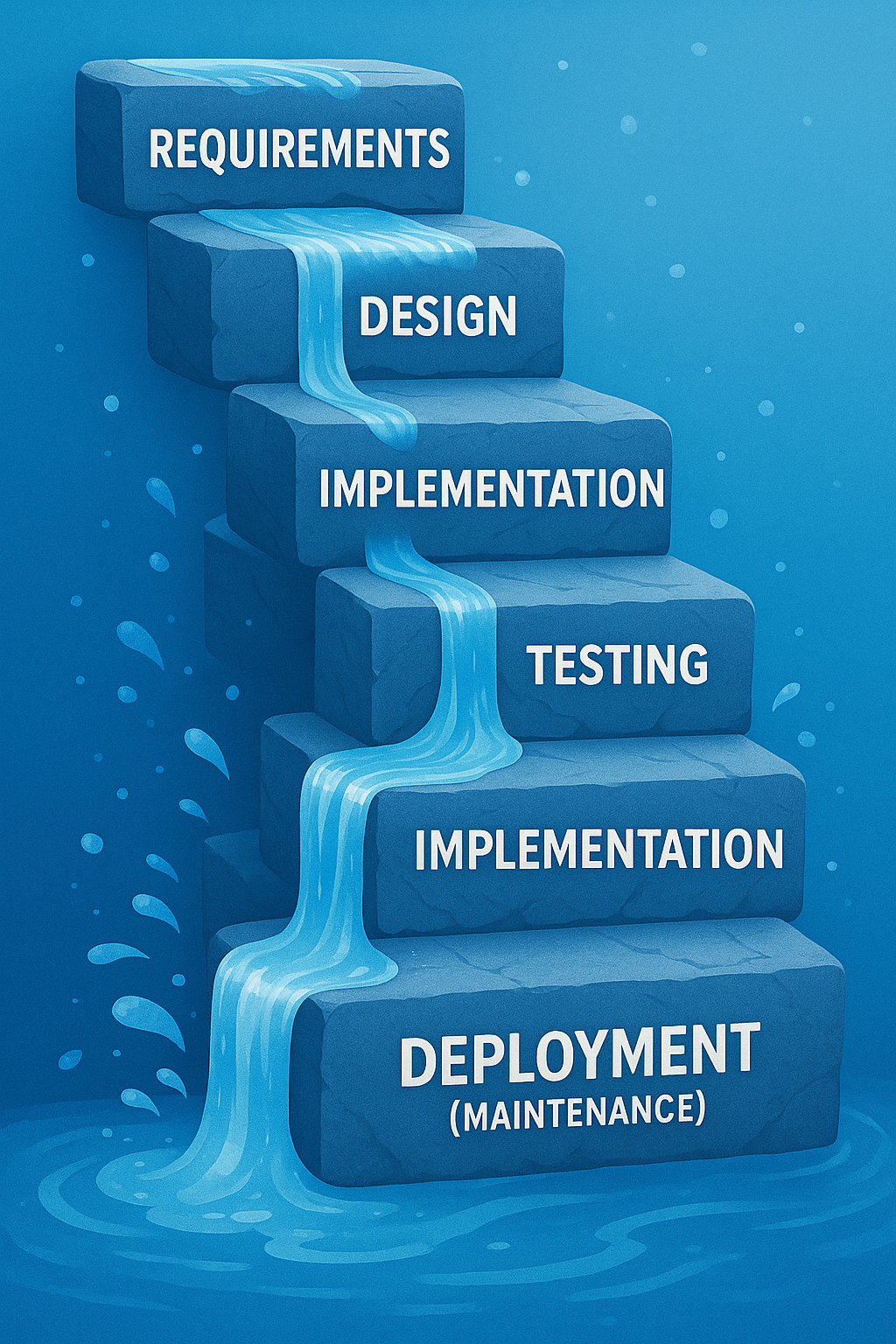 Let’s start with the Waterfall model. What is it, and why might it describe how many church projects are handled? The Waterfall model is a traditional project management approach that works in sequential phases – much like water flowing over a series of falls, each step must finish completely before the next begins (Waterfalls or Whirlpools: Why Use an Instructional Development Model? : Articles | The Learning Guild). In a Waterfall process, you typically plan everything upfront. For example, a team might spend weeks (or months) gathering requirements and opinions, then draft a complete design or action plan, then move into executing it, and finally deliver the result. Crucially, in classic Waterfall you can’t easily go back to an earlier stage once you’ve moved on. It assumes that by the time you start doing the work, the plan is set in stone.
Sound familiar? Church committees often operate this way by default. We form a team to tackle a project – say, renovating the fellowship hall or launching a new youth program. In many cases, the group might spend a long time in the “planning and design” phase, mapping out every detail in one giant blueprint before any action happens. Only when that comprehensive plan is approved do we start implementing. This “plan then execute” mentality is the essence of Waterfall. A common product of this approach is a complex plan, perhaps organized into a "Gantt Chart" with neatly arranged bars showing where one part of the projects ends and another begins.
The Waterfall method can feel reassuring because it emphasizes upfront clarity and a single, agreed-upon plan. In fact, for very predictable, repeatable tasks, a Waterfall approach can work fine (Agile vs. waterfall project management | Atlassian). Some aspects of church life (like routine maintenance or annual events that hardly change) might fit this style. It allows for Church Boards and others to approve all the changes and costs of projects in advance of any action being taken. However, most meaningful church projects are not so predictable – they involve people’s changing needs, creative ideas, and unforeseen challenges. This is where Waterfall’s weaknesses emerge.
Why Waterfall Planning Often Leads to Problems
The Waterfall model’s rigidity often sets churches up for headaches. Here are a few common problems that arise when using this linear approach in church projects:
- Plans Can Become Outdated Mid-Stream: Waterfall assumes you can nail down all requirements at the start, but in reality “it’s impossible to know everything about a project at the beginning.” As work begins, new information and ideas emerge, and “requirements must shift over time to reflect this new knowledge.” If your plan can’t adapt, you may end up with a result that no longer fits the congregation’s needs (What is the Downside of Using the Traditional Waterfall Approach?).
- No Room for Feedback Until the End: In a strict Waterfall process, stakeholders (like congregation members or ministry leaders) might not see the product until it’s almost finished. “Because the customer is not involved until late in the project, they may not like what they see… When this happens, the project will go over time and budget” trying to fix things last-minute (What is the Downside of Using the Traditional Waterfall Approach?). In a church context, this could mean the church board or volunteers only get to react once the project is nearly done – when changes are costly or too late. Little issues that could have been caught early turn into big disappointments.
- Changing Course is Difficult: If circumstances change or someone has a new idea halfway through, a Waterfall plan struggles to accommodate it. On account of its rigid format, Waterfall is “unable to accommodate changing requirements or address problems” that pop up during the project (What is the Downside of Using the Traditional Waterfall Approach?). It’s like a train stuck on one track – great if it’s the right track, but if not, derailment looms. In church life, we know how quickly things can change: maybe a key volunteer moves away, or new opportunities arise. A rigid plan doesn’t handle that well.
- Schedule Overruns Cascade: Waterfall schedules often look tidy upfront (Phase 1 done by March, Phase 2 by June, etc.), but they are fragile. If one phase is delayed, it causes domino-effect delays in all subsequent phases (What is the Downside of Using the Traditional Waterfall Approach?). For example, if fundraising (Phase 1) takes longer than expected, everything else pushes out, often leading to missed deadlines and frustration. There’s little flexibility to overlap tasks or adjust on the fly.
- Team Burnout and Buy-in Loss: Remember that 18-month planning ordeal? Long, drawn-out planning without visible progress can exhaust volunteers and drain enthusiasm. By the time you finish planning and move to action, people might have lost interest or trust in the project. Rigid processes can also devolve into bureaucratic exercises – “onerous” efforts that produce documents no one uses (Is your church fragile or agile? - The Center for Healthy Churches & PneuMatrix).
In short, the Waterfall method tends to be high-risk for complex or evolving projects. As one project management source bluntly states, in Waterfall “your one chance to make critical design decisions has come and gone” once you’re in the implementation stage (What is the Downside of Using the Traditional Waterfall Approach?). If the initial plan was flawed or something changes, you’re stuck. No wonder so many church plans end up collecting dust – by the time they’re done, they’re either not quite right or the world has moved on.
Meet SAM: An Iterative, “Successive Approximation” Approach
So what’s the alternative? One better way to manage projects (in churches and beyond) is to use an iterative approach – meaning you plan and build a project in small, repeating cycles, adjusting as you go, rather than in one big cascade. In the software and business world, this is often called “Agile” project management. “Agile Management is an incremental approach… completed in small sections called iterations. Each iteration... is reviewed and critiqued by the project team, and insights… are used to determine what the next step should be.” (Is your church fragile or agile? - The Center for Healthy Churches & PneuMatrix). In other words, you do a little, check how it’s going, then decide what to do next based on feedback. The main benefit of this approach is “its ability to respond to issues as they arise” – making changes at the right time can “save resources and, ultimately, help deliver a successful project on time and within budget.” (Is your church fragile or agile? - The Center for Healthy Churches & PneuMatrix).
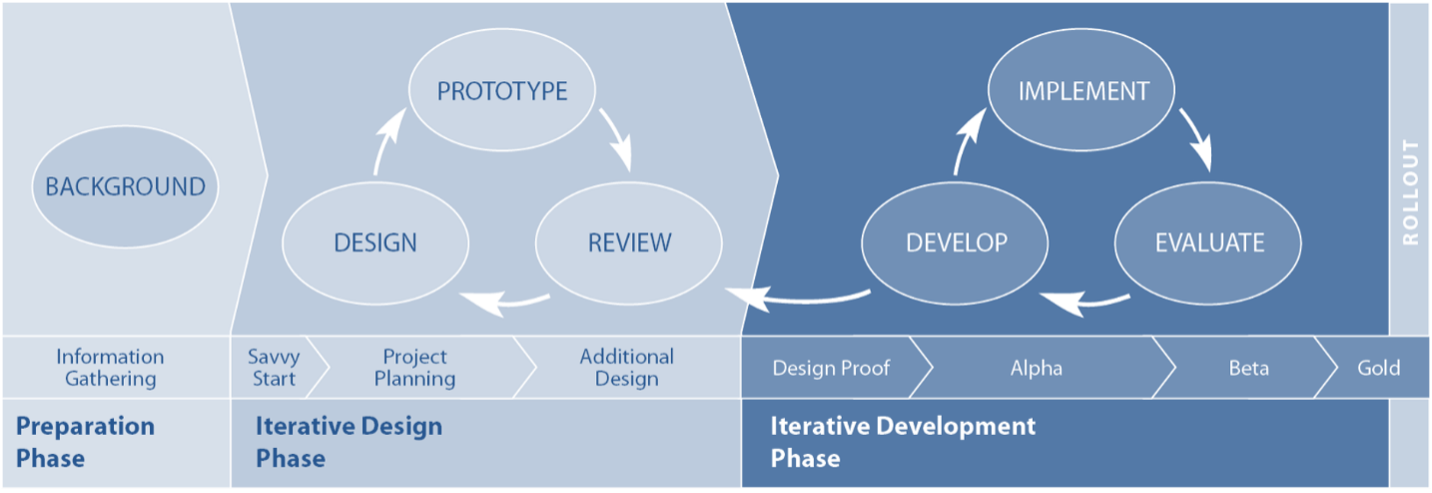
One powerful iterative method – and the one I want to highlight here – is the Successive Approximation Model (SAM). SAM was developed by Dr. Michael Allen, a pioneer in instructional design, as a flexible alternative to the rigid planning of traditional models (SAM - Why is it the Preferred Model for E-learning Development?). The name sounds fancy, but it literally means solving a problem by successively approximating the solution – in plain terms, getting closer to the right outcome through repeated small steps. Michael Allen explains that the title itself conveys the approach: taking small and quick steps instead of giant leaps toward each milestone. You don’t try to craft the perfect solution in one go. Instead, you make a little progress, check and adjust, then make a bit more progress, and so on.
How does SAM work? In practice, SAM breaks a project into three main phases (The Basics of Instructional Design Processes - zipBoard):
- Preparation Phase: Do a quick intake of information and clarify the basic goals and constraints. (In a church project, this is where you’d gather initial input – the wish list, requirements, and any givens like budget limits. Importantly, this phase is kept brief to avoid "analysis paralysis" (The Basics of Instructional Design Processes - zipBoard), because you know you’ll refine as you go.)
- Iterative Design Phase: Hold a kickoff brainstorming session (what Allen calls a “Savvy Start” (The Basics of Instructional Design Processes - zipBoard)) with key stakeholders, then create a prototype or draft of the solution. Crucially, this prototype is not meant to be final – it’s a rough first attempt that stakeholders (users, committee members, etc.) can test-drive and give feedback on. The team then iterates – revising the design and prototype through multiple quick cycles of feedback. The motto here is “fail fast to succeed sooner”: it’s better to catch what doesn’t work early in these sketches or mock-ups than to discover problems after everything’s built.
- Iterative Development Phase: Once the design direction is agreed upon in principle, the project moves into full execution iteratively. The team develops the actual deliverables in small pieces, again cycling through develop → review → improve steps (The Basics of Instructional Design Processes - zipBoard). In Michael Allen’s model for course development, they produce an “Alpha” version (first full draft), get feedback, then a “Beta” version (after fixes), and finally a “Gold” final product (SAM: The rapid fire model of instructional design | by Hannah Young | Medium). The key idea is that even during implementation, you continue to incorporate feedback and make adjustments in stages, rather than delivering the whole thing in one go without checking.
You might be thinking: “This sounds a bit like common sense – work a bit, check in, adjust.” Exactly! It is common sense, but traditional project habits often push us to do the opposite (work a LOT, then check in at the very end). Michael Allen and other experts argue that an iterative model like SAM taps into collaboration and real-world testing to create a better result. Allen notes that a good process “reveals as much about the developing product as early and continuously as possible”, allowing for “frequent evaluation and course correction at times when corrections cost the least.” (Criteria for the Ideal Instructional Design Process Model). In contrast to a linear “plan everything then pray it’s right” approach, an iterative process prevents investing most of the project’s time and budget before stakeholders get to see or shape the product (Criteria for the Ideal Instructional Design Process Model). Small experimental steps can be reversed or modified easily – it’s low-risk to try something early on, whereas it’s high-risk to discover a mistake after full launch.
Another key benefit: stakeholders are involved throughout. SAM “involves the stakeholders throughout the design and development process, and this helps achieve the desired outcomes.” (SAM - Why is it the Preferred Model for E-learning Development?) Instead of a few people going off into a back room to draft the entire plan, you bring in perspectives from board members, volunteers, staff, even end-users (like members of the congregation) at multiple points. This collaborative spirit not only produces a better design; it also increases buy-in. People are more enthusiastic and “on board” with a project they helped shape. The project’s champions aren’t just the committee; it’s everyone who had a voice in the iterations.
Finally, iterative models like SAM introduce a mindset of continuous improvement and learning. Each cycle is an opportunity to learn what works and what doesn’t, and to make the product better. As Allen’s model emphasizes, no project is ever truly perfect – but by cycling through approximations, you ensure it’s as effective as possible within your constraints. You end up with a solution that’s been tested and refined, rather than a first draft masquerading as a final draft.
A Better Way in Action: Using SAM for a Church Kitchen Renovation
Let’s bring this down to earth with a concrete example. Imagine your church is planning to renovate the kitchen in the fellowship hall – a project near and dear to the hearts of the congregation (especially those who cook for potlucks and events!). Traditionally, you might form a kitchen committee, list everything you want, hire a designer to draw up a complete new kitchen layout, present it for approval, then commence construction. That’s a typical Waterfall sequence.
Now, what would it look like to use a SAM-style iterative approach instead? Here’s how the kitchen renovation might unfold with successive approximation:
- Savvy Start – Gather Needs & Brainstorm (Iteration 1): Begin with a collaborative workshop involving all key stakeholders: the property committee, a few frequent kitchen volunteers (the folks who will actually use the kitchen), perhaps a church board representative, and even a caterer or expert if you have one in the congregation. In this kickoff meeting, instead of finalizing a design, you brainstorm and prioritize needs. For example, volunteers might voice frustrations (“The fridge is too far from the prep area” or “We need a second oven”), and together the group identifies what a successful kitchen should enable (faster prep for events, accessible storage, easy cleanup, etc.). With those insights, the team sketches some rough ideas. This could be as simple as drawing different layouts on paper or using tape on the floor of the hall to outline where counters and appliances might go. Nothing is final at this stage – it’s about capturing the vision and key requirements quickly.
- Prototype Design & Feedback (Iteration 2 and 3): Next, take the ideas from the Savvy Start and have a designer (or a skilled volunteer/architect) create a prototype design. This might be a scaled drawing or a 3D digital model of the proposed kitchen. Crucially, share this prototype with stakeholders early. Perhaps call a meeting of the kitchen volunteers and church staff to walk through the proposed design virtually, or even set up cardboard mock-ups of counter heights and appliance positions in the current kitchen to simulate the new flow. Now gather feedback: maybe the volunteers notice that the proposed island would block movement, or the pastor suggests adding a coffee station for coffee-hour time. Because this isn’t a finished construction, changes are relatively easy – move the tape marks, adjust the drawing. Over a couple of quick review and revise cycles, the design is improved. You might go through a few iterations: design v1, feedback, design v2, more feedback... until stakeholders are generally happy. Importantly, even at this stage you haven’t spent much money – just time and perhaps a small design fee – but you’ve caught issues that would have been expensive if discovered during construction.
- Staged Implementation with Continuous Input: With a vetted design in hand, you proceed to implementation, but you still keep it iterative. For instance, if budget and logistics allow, you could renovate in phases rather than shutting down the kitchen entirely. Start with one part – say, installing the new storage cabinets and relocating the pantry. Once that mini-project is done, let the kitchen volunteers start using the new setup and solicit their input: Are the new cabinets helpful? Is anything hard to reach? This is analogous to an “Alpha” release. Use their feedback to make small tweaks (maybe you add an extra shelf or change the kind of handles) before moving to the next phase. Then tackle the cooking area renovation (new stove, island, etc.), again perhaps testing it during a church event before finalizing all the finishing touches (your “Beta” phase and refinements). At each stage, stakeholders get to interact with the evolving project and you, as the project lead, can adjust course. By the end, you’ll have a “Gold” version of the kitchen that has been shaped by its users. The result is likely a kitchen that truly meets the congregation’s needs, with far fewer “I wish we had known…” regrets.
Throughout this process, communication is constant. Church board members get regular updates and see progress, which builds confidence. The congregation hears about the improvements in stages, generating excitement (“We’ve installed half the new appliances – come take a look and tell us what you think after Sunday’s potluck!”). Any problems that arise (maybe the flooring ordered for phase 2 was discontinued – oops!) can be dealt with by adjusting the plan for phase 3, rather than derailing the entire project. And because you didn’t try to perfect the plan upfront, the team stays energized focusing on solving the next set of issues rather than lamenting that the original plan isn’t working. Consider putting weekly updates (perhaps pictures?) in the Sunday bulletins on emails sent to the congregation list.
Bottom line: By approximating the final kitchen through successive iterations – listening, prototyping, refining, and implementing in pieces – the church ends up with a better kitchen and a happier team. The project stays more on schedule and on budget because you caught missteps early and adapted (no costly change orders at the 90% mark!). And those who use the kitchen feel ownership because they were involved from the beginning.
Other Church Projects Ripe for an Iterative Approach
The kitchen example is just one scenario. Nearly any church project that has some level of uncertainty or creative design can benefit from SAM’s iterative, feedback-driven philosophy. Here are a few other examples:
- Church Website Redesign: Instead of hiring a web designer to build the entire site and launching it in one big reveal (only to find the congregation finds it confusing), use iterative design. Create a prototype or demo site with just a couple of pages, have staff and members test it and give feedback on the navigation and content. Improve it in cycles. Maybe run a beta version of the site for a small group to gather feedback before full launch. By involving end-users (members, seekers, etc.) during development, you ensure the final website is user-friendly and effective.
- Launching a New Community Program: Say your church wants to start an after-school program for kids. Rather than planning the full program for six months and rolling it out lock-stock, consider launching a pilot program first. Run it for a shorter period or with a smaller group of kids, then gather input from parents, volunteers, and the kids themselves. What activities did they enjoy? Where did logistics fall short? Use that feedback to expand or adjust the program before committing all your resources. This successive approximation can turn a good idea into a truly impactful ministry by refining it with real-world data.
- Sanctuary Renovations or Reconfigurations: Perhaps you’re considering a big change in the sanctuary (new seating arrangement, lighting, or sound system). The Waterfall way would be to decide everything (maybe by one committee) and implement over a few weeks of construction. A SAM-inspired way could be testing changes in small ways. For example, before replacing all your pews with chairs, try removing a few pews at the back and setting up sample chairs for a month to see how it affects worship and get congregational feedback. If considering new lighting, install it in one section and gather reactions. These iterations can prevent costly aesthetic or functional mistakes and help build consensus. People can experience the changes gradually and offer input, leading to a final renovation that’s well-received.
In each of these cases, the pattern is to start small, involve the stakeholders, and iterate. You’re essentially de-risking the project – no single decision or design is beyond revising, so you rarely get stuck with a “failure” at the end. Problems are caught early when they’re easier (and cheaper) to fix, and the final outcome better matches what people actually need and want.
How CHURCHx Uses SAM for Better Courses
At CHURCHx, we believe in practicing what we preach. Interestingly, the Successive Approximation Model isn’t only useful for tangible projects like buildings and websites – it’s also great for designing educational experiences. In fact, SAM was born in the world of instructional design. We use SAM’s iterative, feedback-driven approach to create our church courses and training programs, and we’ve seen firsthand how it leads to better learning outcomes.
What does this look like? Let’s say we’re developing a new online course for small group leaders. Instead of writing all the lesson content, filming all the videos, and uploading a finished 8-week course before anyone outside our team sees it (which would be the Waterfall way), we take a SAM approach:
- Early Prototyping: We might start by conducting a “Savvy Start” workshop with a few experienced small group leaders and some people from our target audience. In this collaborative session, we gather insights on what challenges small group leaders face and what they’d love to learn. Based on that, our team rapidly drafts a prototype of one module – perhaps an outline of a lesson or a sample video segment. This is our course prototype.
- Feedback Cycles: We then share this prototype with the stakeholders for feedback immediately. Those volunteer leaders might say, “This example isn’t realistic” or “We actually need more help with facilitating discussions than with choosing materials.” We listen and adjust. Maybe we create a quick beta version of one lesson – with a short interactive activity – and have a few people test it (almost like a focus group of learners). Their input at this stage is gold. We incorporate their suggestions and iterate the design of the course before building the whole thing. As Michael Allen often points out, a functional prototype that learners can “test drive” is the best way to spot design flaws early, and we find that to be true. It’s much better to find out in week 1 that a quiz format is confusing than to only learn about it after the entire course is live!
- Alpha and Beta Releases: Once we’re happy with the direction of one module, we develop the Alpha version of the full course – all modules created, but not yet finalized. We might pilot this Alpha course with a small group from one partner church. During this pilot run, we actively solicit feedback: which lessons resonated most? Where did learners get stuck? What did they find boring or incredibly useful? Using that data, we go back and refine to a Beta version. Perhaps we trim a section that dragged on, add more examples to a weak lesson, or re-record a video to be more engaging. By the time we release the final “Gold” version of the course to all churches, we’ve run through multiple cycles of improvement.
The result? A training course that we know (through testing) is engaging, clear, and effective for our audience. This iterative design not only helps us build a better product, but it also saves resources in the long run – we’re far less likely to need a major overhaul or to receive lots of support requests later, because we ironed out the kinks through successive approximations. As one summary of Michael Allen’s approach put it, such iterative processes simplify development and yield more energetic and effective learning experiences (Leaving ADDIE for SAM: An Agile Model for Developing the Best Learning Experiences | Welcome to TeachOnline). We’ve found that to be true: by involving real users (church leaders, congregants, subject matter experts) at each stage of course creation, our end programs are more relevant and impactful.
Perhaps just as important, SAM keeps us aligned with the needs of those we serve. It’s easy for any creator to make assumptions about what people need. Iterative feedback is a built-in humility check – it forces us to listen continuously. In a church context, this is invaluable. Our courses aren’t developed in an ivory tower; they’re co-created with input from the community. That means when you take a CHURCHx course, you’re benefiting from the collective wisdom of many, not just the initial ideas of a few.
Moving Forward: Learning to “Think SAM”
Shifting from a Waterfall mindset to an iterative SAM mindset may feel like a big change, but it’s truly about embracing flexibility and feedback. Start small: on your next project, intentionally plan for a prototype or trial run. Invite stakeholders into the process early on – even if it’s a bit messy – and be willing to adjust. Build time for multiple drafts rather than expecting to get it perfect in one draft. You’ll likely find that this approach not only leads to a better end result, but makes the journey more collaborative and less stressful.
Churches, at their heart, are communities of people. And people change, learn, and grow as they engage with a project – they’re not static requirements. By using SAM or any iterative approach, you allow the project to grow with the people involved. It turns project management from a strict script into a responsive dialogue. As Agile project management experts would say, it values “responding to change over following a plan” (Is your church fragile or agile? - The Center for Healthy Churches & PneuMatrix) – a principle that resonates deeply in ministry, where responsiveness can mean the difference between a missed opportunity and a Spirit-led success.
Many churches have been unintentionally using a Waterfall approach, planning every detail and then executing, only to face frustration when reality intervenes. By recognizing this and pivoting to a Successive Approximation Model, we can steward our projects more faithfully and effectively. Small steps, continuous feedback, and iterative improvement can transform not just our outcomes, but also the experience of working together on a project. Whether it’s a building project, a new ministry, or developing learning resources, let’s “think SAM” and invite a process that is adaptive, collaborative, and ultimately more rewarding for everyone involved.
Further Reading
To explore these ideas further, here are some accessible resources on project management and SAM for non-experts:
- “Is your church fragile or agile?” – Bill Wilson (Center for Healthy Churches): A thoughtful blog post on how agile planning principles can benefit congregations (Is your church fragile or agile? - The Center for Healthy Churches & PneuMatrix) (Is your church fragile or agile? - The Center for Healthy Churches & PneuMatrix). Great for seeing Agile ideas applied in a church context.
- “SAM – Why is it the Preferred Model for E-learning Development?” – CommLab India: An easy-to-read introduction to the Successive Approximation Model, including what it is, why it was developed by Michael Allen, and its advantages (SAM - Why is it the Preferred Model for E-learning Development?) (SAM - Why is it the Preferred Model for E-learning Development?). Though focused on e-learning, the concepts are very transferable to other projects.
- “ADDIE Model vs SAM Model: Which is Best for Your Next eLearning Project?” – eLearning Industry: A comparison of the traditional linear ADDIE process and the iterative SAM approach (SAM Model Versus ADDIE Model - eLearning Industry). Helps to illustrate the differences between waterfall-like and agile-like methods in plain language.
- Leaving ADDIE for SAM by Michael Allen (Book Summary – TeachOnline.ca): A brief overview of Michael W. Allen’s book Leaving ADDIE for SAM, explaining why the old linear models were updated and how SAM incorporates more creativity and stakeholder input (Leaving ADDIE for SAM: An Agile Model for Developing the Best Learning Experiences | Welcome to TeachOnline). Useful for those who want the theoretical background from the expert himself.
- “What is the Downside of Using the Traditional Waterfall Approach?” – PM Column: An article that lays out the pitfalls of Waterfall project management in simple terms (What is the Downside of Using the Traditional Waterfall Approach?) (What is the Downside of Using the Traditional Waterfall Approach?). Reading this can reinforce why an iterative mindset is beneficial, by seeing what to avoid.
Can AI Help Every Student Thrive? What the 'Two Sigma Problem' Tells Us About the Future of Learning
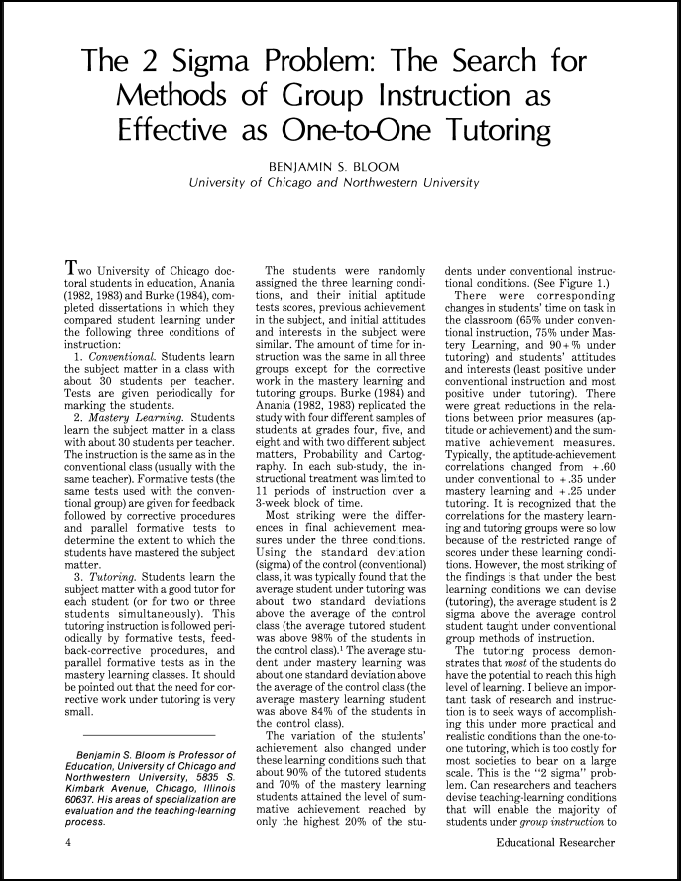
In 1984, educational researcher Benjamin Bloom (the creator of the “Bloom Taxonomy” which I've written about before) made a discovery that rocked the education world. He found that students who received one-on-one tutoring performed two standard deviations better than those in a traditional classroom. That means the average tutored student outperformed 98% of students taught the usual way. This became known as the "Two Sigma Problem." The question is: How can we give every student that level of personalized learning without needing a personal tutor for each one?
At CHURCHx, we're diving deep into this question because it’s more than academic—it’s pastoral. As pastors, church educators, and leaders, we care about people growing in wisdom and faith. But many of our learners—especially adult learners—struggle with time, energy, and confidence. If there's a way to help more of them learn and grow better, faster, and with more joy, we want to know about it.
Why Tutoring Works So Well
 Tutoring isn't just about getting answers—it's about teaching in a way that adapts to the student. A good tutor offers timely feedback, adjusts the pace, encourages questions, and helps the student stay motivated. Bloom showed that this kind of support can turn average learners into top performers. But giving every student their own personal tutor? That's simply not practical outside of very specific circumstances (such as field placements for ministry students).
So for decades, educators have tried to replicate the benefits of tutoring in the classroom—through things like mastery learning, small group work, and peer tutoring. These methods help, but none have consistently achieved the two-sigma boost that tutoring provides.
Enter AI: A New Kind of Helper
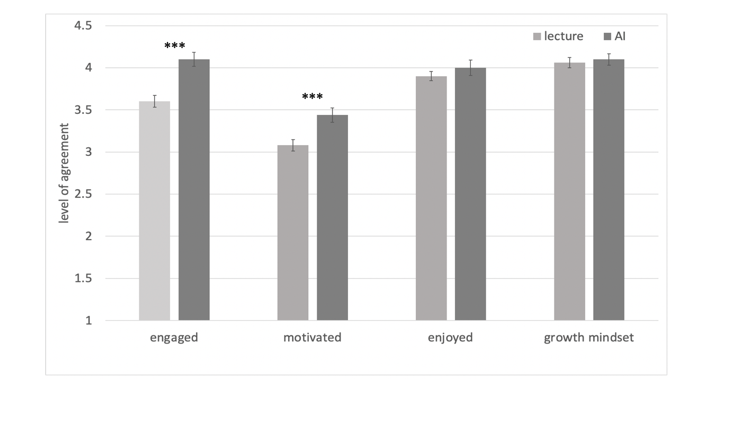
Thanks to recent advances in artificial intelligence (AI), we now have tools that can simulate some of what a tutor does. At Harvard University, researchers created an AI-powered tutor and tested it against a traditional classroom. The results? Students using the AI tutor learned twice as much in less time—and reported feeling more engaged and motivated, too.
This AI wasn’t just a chatbot with answers. It was carefully designed to teach like a great tutor: asking questions, encouraging effort, giving feedback, and letting students work at their own pace. The key was human-centered design—experts crafted the AI to follow best practices from teaching and psychology.
While it’s exciting to imagine every student in the world having access to a Harvard-AI-Tutor-like bot, two important caveats need to be expressed. First, the Harvard-bot was very carefully and deliberately designed to use a specific learning path designed by the instructors over many successive iterations of the physics class it was designed to emulate. It was not a case where the instructors simply “dumped” the learning outcomes into ChatGPT and said, “Teach this.” Rather, this is AI applying a human-designed strategy with great fidelity and at scale.
Second, the students taking this class are likely to be highly motivated and self-directed learners, already, and therefore these gains might be unusual when extrapolated over a more diverse community of learners. That said, although the Harvard study is a particularly shocking result, it not unusual for the current (as of Fall 2024/Spring 2205) generation-based AI-Tutors to demonstrate great benefits for students. Multiple studies have shown that with the right prompting, AI makes an excellent tutor. Some of the most fruitful research on this topic is about how to prompt the models to get best results.
But AI Isn’t Magic
Here’s the catch: AI only works well when it’s used wisely. Some tools can accidentally make it too easy for students to avoid real learning. Others might give wrong answers or lack the emotional support that human teachers provide. That’s why researchers and educators are emphasizing a partnership between humans and AI. The goal isn’t to replace teachers, but to amplify their work—letting the AI handle the repetitive stuff so teachers can focus on mentoring, spiritual formation, and community-building.
None of this is suggesting a shortcut to teaching or learning. Unlike in the movie The Matrix, we can’t plug brains into machines and “upload” understanding. Indeed, the proper construction of online learning (whether using AI-based learning activities or not) often requires even more planning and resource creation with the payoff of better engagement and outcomes.
As I tell instructors sometimes, “Students must suffer!” That is, a certain effort is required to learn: learning is a kind of gym of social, mental, and sometimes physical training that changes the human person as they adapt to the carefully designed exercises put before them. A critical choice in designing any learning experience is where in the design this student-lift will take place. AI is just another tool to create those learning activities.
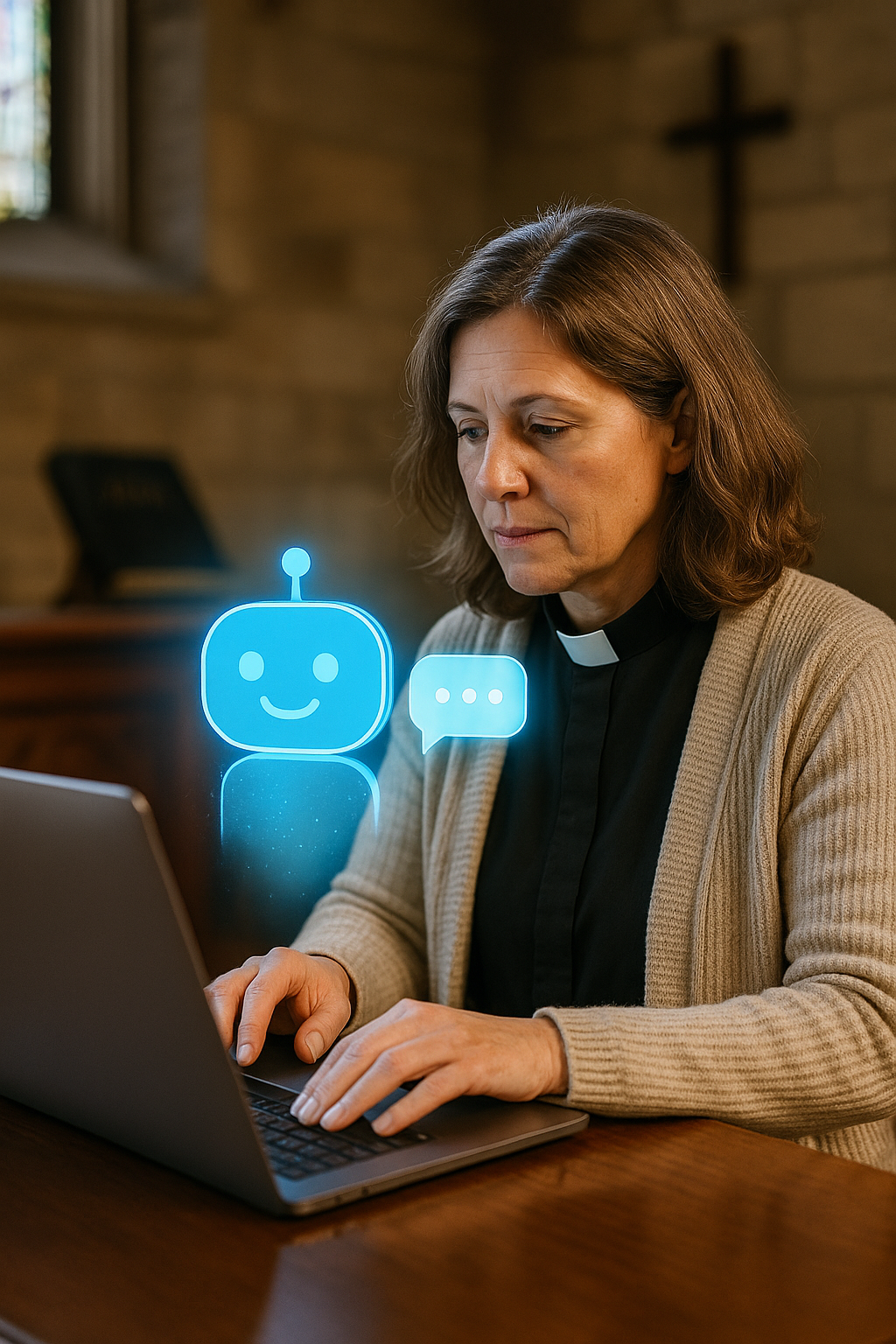
Why This Matters for CHURCHx
At CHURCHx, we see AI as a powerful tool for discipleship and lifelong learning. Many groups want to offer deeper, more personalized learning but don’t have the staff or resources to provide individual support. What if AI tutors could help bridge that gap? Imagine:
- A confirmation student getting instant help with Bible questions at home.
- A lay leader using an AI tutor to explore theology at their own pace.
- A pastor preparing a sermon with the support of an AI tool trained on trusted resources.
- We’re exploring how to build and use AI tutors that are trained on church-based content, guided by our values, and supportive of our mission. We want tools that encourage critical thinking, promote spiritual growth, and respect the learner’s dignity.
What’s Next
CHURCHx launched the Ecclesia.AI project a few months ago to make it easy for church or educational groups to create their own AI agents based on their own resources. It can scan your church website, download transcripts of YouTube Videos, or read whatever documents you want to upload. Before answering any user inquiry, it checks it database of trusted sources and then answers the question based on that information. When possible, it even includes a citation. Thus, the answers of Ecclesia are domain-specific, accurate, and verifiable.
Soon we will integrate Ecclesia agents into CHURCHx, making it easy for any instructor to create a virtual teaching assistant if they want one. This is not going to be forced on anyone, but given what we have described, the benefits of using AI to assist in teaching are clear. When paired with proper design and intention, these are powerful tools to amplify teacher impact.
Another major effort of CHURCHx is research into AI-Assisted Pedagogy. This summer, with financial support from General Theological Seminary and a Grant from the Lilly Endowment, I am leading a team of six in an investigation into how people talk about religion and faith with chatbots. We already have two research papers accepted for the November Conference of the American Academy of Religion, and we believe our research will be among the first of its kind to examine how learning happens in AI conversations about religion, specifically. Our working hypothesis is that new kind of conversational style is emerging with its own potentials and pitfalls. Insights gained from this research will feed our development of new AI teaching tools.
The Two Sigma Problem may never be solved completely, but with wise use of AI, we can get closer than ever before. And in doing so, we can help more people learn deeply, grow faithfully, and live wisely.
Want to be part of the journey? Reach out to us at CHURCHx.
Not a Class, but a Conversation: The Power of Networks on CHURCHx
When most people think of online education, they picture either a webinar or structured courses; a Zoom session to attend, a presentation, some breakout groups, start and end dates, maybe a quiz or two. Or perhaps they think of an interactive video they watch and click through.
 Fun story: as a teenager, I worked at McDonald’s, and as part of my training for that job I had to do an “Asynchronous Learning Exercise.” My manager took me to the break room, gave me a kiddie-cup of soda, put a VHS tape into a VCR (remember those?), and asked me to watch a video while he had smoke next to the trash compactor out back.
The video was about 30 minutes long. It explained, in excruciating and self-justifying detail, that the purpose of this video was to resolve the number one complaint of McDonald’s customers: “The fries aren’t salty enough.” Therefore, McDonald’s Corporate had commissioned a study and invented a new “salt-dispersion device” (a fancy saltshaker), which, of course, required a training video. The whole thing boiled down to the “Triple Arching Method ™” in which you shake the saltshaker—the “salt-dispersion device”—three times over each basket of fries you dump into the cooling table.
This early exercise in learning with video did not, to my young self, seem particularly efficient. I now see that it was an example of what we might call a “content-first” approach, in which all the work has gone towards pushing the content into the brains of the learners without regard for what they already know, how they might best learn, or what change was actually important beyond simply recalling the specific content required.
In truth, the outcome, “employee will know the ‘Triple Arching Method ™” is not a very good one, from a learning design point of view. Much better would be, “employee will value salting the French fries in order to achieve maximum customer satisfaction.” Such a value is not derived from watching slow-motion, grainy (this was the 90’s) video of a hand repeating the same gesture over and over. Perhaps, instead of taking a smoke break, my manager should have simply served me two sets of fries—salted and unsalted—and let me learn with my mouth instead of my ears.
I tell this story to demonstrate how good learning design requires us to think about the learner’s circumstance and experience of instruction, not the facts we want them to absorb and repeat.
A good example of that on CHURCH is the innovation of creating learning “Networks.”
Take the Church Treasurer’s Webinar Series, for example. Or the Trauma-Informed Pastoral Support Network. Or our new favourite, the Prophets, Priests, and Prompt Engineers. These aren’t “courses” in the traditional sense. There’s no final exam, no pre-set lesson plan. Instead, they’re gatherings—communities of learners and leaders coming together around a shared concern or curiosity.
And what makes them work isn’t content—it’s connection.
 The Freedom to Follow Your Questions
Traditional learning often starts with content first: here’s the material, now sit down and absorb it. There’s a place for that, of course. But when the topic is complex, evolving, or deeply personal—like trauma-informed care or artificial intelligence in ministry—that approach can quickly feel too rigid.
Networks flip that model on its head. Instead of content first, we start with community. We say: “Let’s gather the people who care about this. Let’s give them tools to organize, space to meet, and a platform to archive their learnings.”
Then we let the learning unfold.
As I’ve said before, our primary model of learning on CHURCHx is Social Constructivism—the insight that learning is an inherently social activity. And one implication of this paradigm is that healthy learning communities will produce new knowledge as an artifact of their work. One of the things I’m spending a lot of time thinking about is how to take that emergent knowledge and spread it beyond its parent network. I could say a lot more about my ideas of how this can be done—but for now, just suffice it to say that knowledge is a very powerful thing, and that it wants to be free.
A Platform for Ongoing Discovery
The Networks on CHURCHx use our platform to share resources, organize Zoom calls, post recordings, and capture the wisdom that emerges from their conversations. But there’s no set path. No “you must do this before you do that.” It’s more like a library crossed with a support group—open-ended, participatory, and adaptive.
And that’s the key: adaptability. The world is changing fast. Church finances, pastoral care, artificial intelligence—these are all moving targets. Networks give us the freedom to learn as we go, adjusting to new information, new needs, and new people who join along the way.
 Not Just Learning—Belonging
In many ways, the deepest value of Networks isn’t what you learn, but who you learn with. When you show up month after month to talk about real issues with people who share your questions, something powerful happens. Trust builds. Ideas flow. Ministry gets a little less lonely.
So, if you’re tired of trying to figure it all out on your own—or if you’re just curious about something new—come check out the Networks on CHURCHx. Whether you’re a numbers person, a pastor dealing with hard realities, or a church leader wondering what AI means for the Body of Christ, there’s a place for you here.
Not a class. A conversation. And maybe even a community.
Gamification in Christian Education: Engaging Learners Through Play
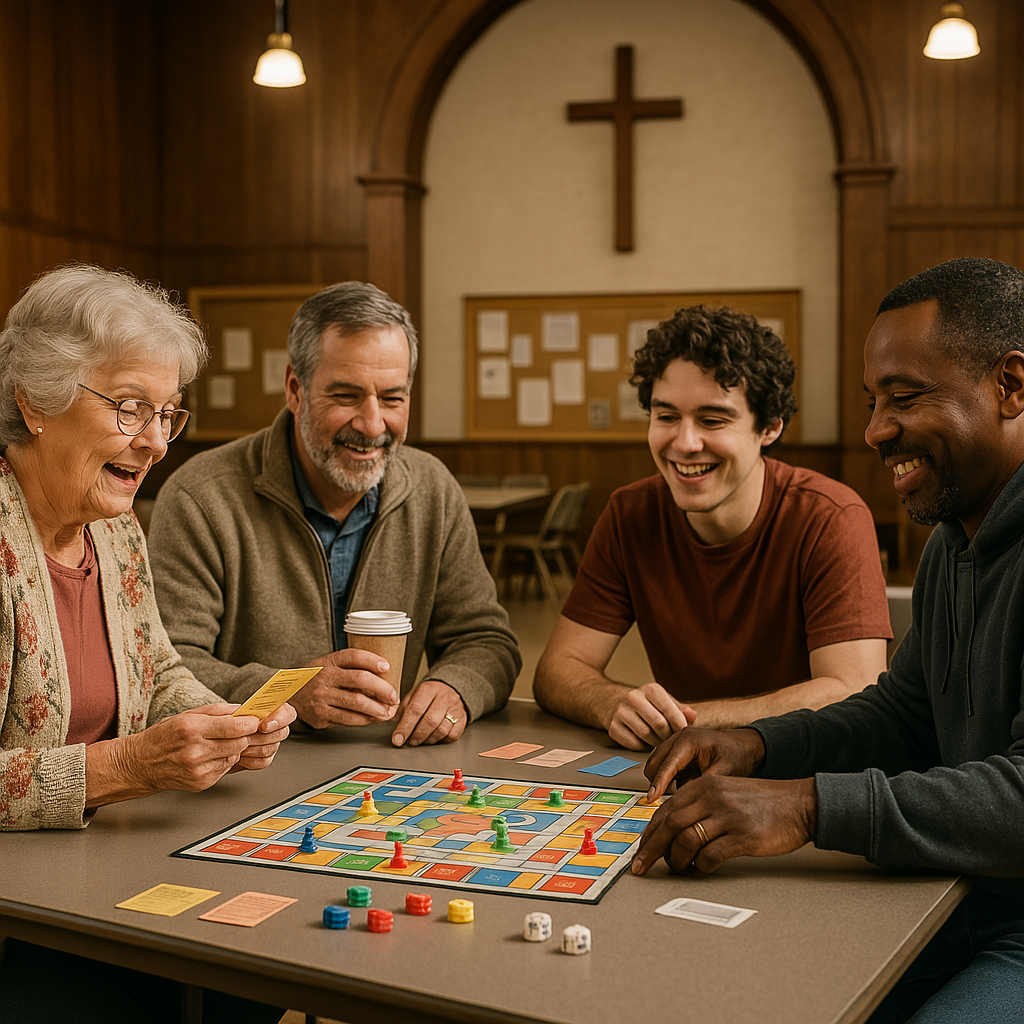 The way we learn is changing, and churches must adapt to keep people engaged in faith formation. One powerful tool that’s gaining traction in education is gamification—the use of game-like elements to enhance learning. Whether in Sunday school, youth groups, Bible studies, or adult education, gamification can make learning about faith more interactive, engaging, and effective.
In this article, we’ll explore what gamification is, why it works, some examples, and how ideas of how churches can use this technique to make Christian education more compelling.
What Is Gamification?
Gamification is the process of applying game-like mechanics—such as points, levels, challenges, and rewards—to traditionally non-game settings like classrooms or church education programs. The goal is to make learning more engaging, fun, and motivating.
Gamification works because it taps into human psychology. It encourages participation, fosters a sense of progress, and makes learning active rather than passive. Because behaviours are rewarded in the game mechanic, games tap into deep human drivers of motivation and activate parts our brain that would otherwise remain dormant if we are simply passively consuming content.
Do we want to make faith “competitive”?
A common reservation about using gamification is that it might introduce a spirit of competition or unwanted comparison. Congregations are diverse, and not everyone will be equally skilled at any game you might choose to do. Here are several strategies to avoid this problem:
-
Team-based games give people the opportunity to work collaboratively in ways that give everyone a chance to contribute.
-
Choose different types of games so that there is diversity in the types of players who will succeed.
- Use games that focus of collaboration where the outcome is that everyone wins (as opposed to “zero sum” games where some must lose for others to win).
- Design or adapt games to accommodate various ages and abilities.
- Allow players to “opt-in” to decide their own level of involvement.
- Randomize roles to prevent reinforcing hierarchies or pigeonholing.
- Maintain a playful, not performative, tone.
- Debrief games with a chance for people to express themselves.
Gamification Works in Church Education
 Gamification works to achieve the goals of formation on both an individual and congregational basis:
-
Engagement – Games make learning fun and immersive. People (especially kids and youth) are more likely to remember lessons when they are actively participating.
-
Motivation – Gamification introduces a sense of challenge and achievement, making people more invested in their learning journey.
-
Community Building – Group games foster a sense of fellowship and teamwork.
-
Faith in Action – By integrating challenges and rewards, gamification encourages participants to live out their faith in practical ways.
Examples of Gamification for Church
Here are some real-world examples of Gamification used in churches.
1. “Mission Possible”
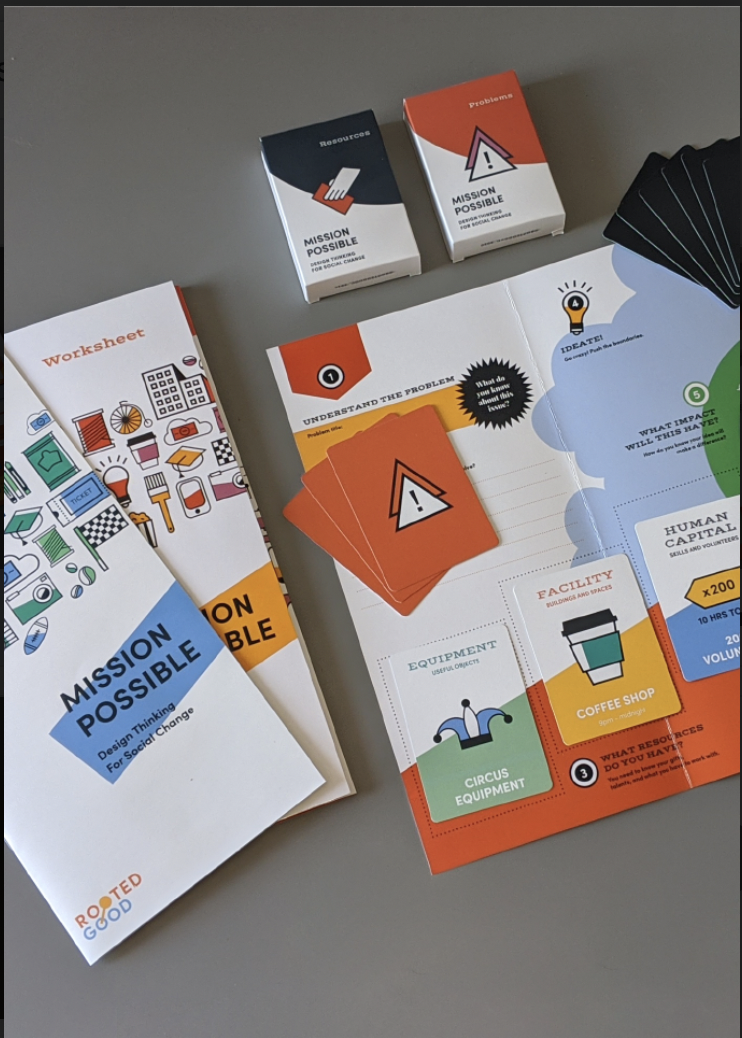 Mission Possible is an interactive workshop-in-a-box designed to foster creativity, resourcefulness, and teamwork among participants. In this game, teams are provided with a set of resources and tasked with developing innovative solutions to complex social challenges. Throughout the process, participants engage in design thinking, idea generation, impact measurement, and presentation skills. The game accommodates groups ranging from 5 to 100 individuals and has been utilized by organizations such as Duke University, Princeton University, and Target.
Tools: Game Set: https://ministrydownloads.com/product/mission-possible ($149 USD).
2. Bible Trivia Competitions
How it works: This can be deployed in-person as a fun game in person or asynchronously. People can play individually or be organized into teams. It is easy to either acquire a set of questions or create your own (perhaps based on the congregation’s current season or focus). One creative option would be to include a challenging question in a weekly parish eNewsletter—inviting interaction in an otherwise one-way “broadcast” medium. Participants can earn points for correct answers, and the top scorers could receive small prizes (e.g., bookmarks, devotionals, coffee cups, or recognition in the church bulletin).
Tools: Example Bible Trivia Games: “Bible Jeopardy,” “So You Think You Know the Bible.”
2. “Episcopopoly”
 How it works: Episcopopoly is a stewardship-themed board game that playfully mirrors the classic mechanics of Monopoly, but with a unique Episcopal twist. Players compete and collaborate to build, sustain, and grow Episcopal churches, all while learning about church operations and stewardship values in a fun and engaging way.
Tools: It may be difficult to find this board game which was originally published in 2003 by “Late for the Sky” games, but I’ve included it on here as an example of what can be done. Directions for creating your OWN Monopoly-based game can be found here.
 3. “The Truth in Truth and Reconciliation Board Game”
How it works: "The Truth in Truth and Reconciliation Educational Board Game" is an immersive tool designed to educate players about the colonization of Indigenous Peoples in Canada. Developed by James Darin Corbiere (Waabi Makoohns), an Anishinaabe artist and educator from Wiikwemkoong, Ontario, the game offers participants a vicarious experience of the challenges faced by Indigenous communities. Players aim to navigate Turtle Island, collecting four Eagle Feathers symbolizing Land, Language, Culture, and Identity. Throughout the journey, players encounter "Truth" and "Consequence" cards that present historical events and policies enacted by the Church and the Crown, reflecting real-life adversities faced by Indigenous Peoples. Successfully collecting all four Eagle Feathers signifies survival and resilience in the face of colonization.
Tools: An Indigenous educator-created guide supports facilitators in deepening the learning experience, providing context and discussion points. The graphic novel "Tales of The Firekeeper," written and illustrated by Corbiere, complements the game by offering narratives that enrich understanding. The game kit can be purchased online here. ($99.99).
3. Digital Badges for Faith Formation
How it works: Offer digital or physical badges for milestones like memorizing scripture or completing a service project.
Tools: Canva (to design badges), Google Sheets (to track progress), or a church learning platform.
4. Mission Challenge
How it works: Assign real-world challenges that encourage faith in action, such as:
-
Praying for five people this week.
-
Completing a random act of kindness.
-
Inviting a friend to church.
Each completed mission earns a point toward a larger goal, like a group celebration or donation to a charity.
Tools: A leaderboard on a bulletin board or digital tracking using a website or app.
5. Role-Playing Bible Stories
 How it works: Instead of simply reading scripture, have participants act out key moments in biblical history. Let them take on different roles and explore how they would respond in biblical situations.
Tools: Simple props, costumes, or storytelling prompts.
6. Sermon Bingo
 How it works: Give attendees a bingo card with key words or themes related to the sermon. As they listen, they mark off words they hear. A completed row or column earns a small reward.
Tools: Printable bingo cards or an app like Bingo Baker.
7. Scripture / Holy Hardware Scavenger Hunt
How it works: Hide Bible verses or clues around the church. Each clue leads participants to the next, culminating in a final scripture lesson or a small prize.
Tools: Printed clues, envelopes, and small incentives.
9. Make Your Own Game
 How it works: AI has made it incredibly easy to create and refine your own design for games. Simply explain to a tool like ChatGPT or Gemini or Claude what kind of game you are looking to create, and let it brainstorm with you. This works great to create in-person games, but you can also quickly and easily create online games using tools like Gemini or Claude’s “Canvas” features. For example, here is an “Anglican Church Simulator” that took me less than 15 minutes to create. Much of that time was spent asking the AI to tweak the game mechanics, and with more time this could be further elaborated and developed with no knowledge of computer coding at all.
Tools: Your own brain, craft supplies, and possibly an AI of your choice.
Tips for Successful Gamification in Church
-
Make It Voluntary – Not everyone enjoys competition, so offer alternatives for those who prefer to learn differently.
-
Keep It Aligned with the Message – The goal is spiritual growth, so every game should reinforce faith-based learning.
-
Balance Fun and Depth – Games should be engaging but still encourage meaningful reflection.
-
Celebrate Participation, Not Just Winning – Recognize effort and progress rather than just rewarding those who score the highest.
-
Use Technology (When Appropriate) – Digital tools can enhance gamification, but low-tech solutions work just as well.
Conclusion
Gamification isn’t about turning church into a game—it’s about enhancing engagement and participation in faith formation. When done well, it can make learning interactive, meaningful, and memorable for all ages.
Transformative Learning and Faith Formation: Insights from Jack Mezirow
 In the world of adult education, Jack Mezirow’s Transformative Learning Theory stands alongside foundational models like Bloom’s Taxonomy and Fink’s Significant Learning as a powerful framework for understanding how people learn and grow. You can read about Bloom’s Taxonomy or Fink’s Significant Learning in my previous blog articles.
While Bloom emphasizes cognitive mastery and Fink highlights holistic, meaningful learning, Mezirow focuses on something even more radical: how learning transforms individuals at a fundamental level. For religious leaders designing faith formation programs, this theory offers valuable insights into how faith can be deepened, reshaped, and made more relevant in people's lives.
What Is Transformative Learning?
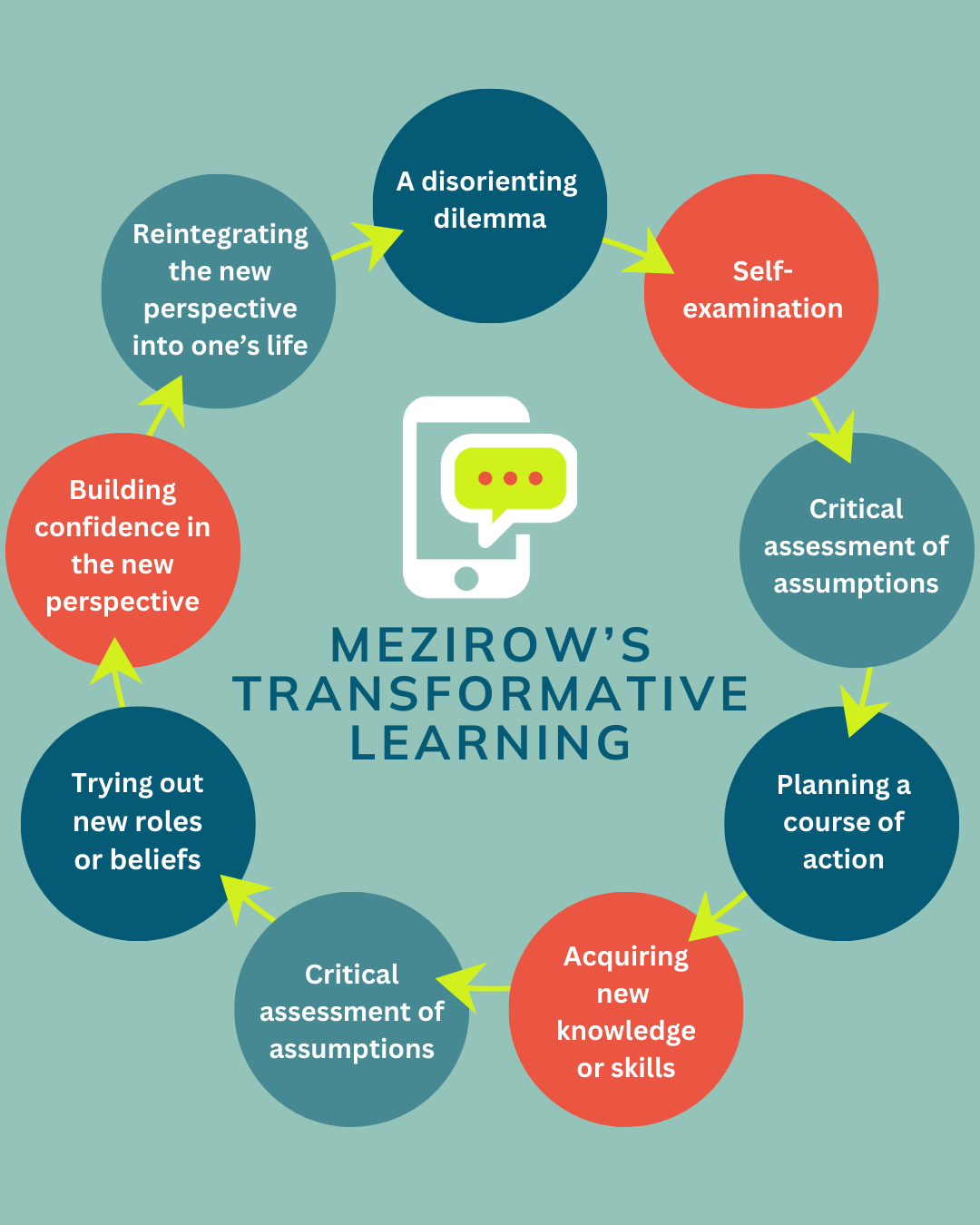 Mezirow developed his theory in the 1970s while studying how adults make sense of life experiences. He discovered that true learning—especially for adults—is not just about acquiring new information. Instead, it often involves a shift in perspective, where learners critically examine their assumptions, beliefs, and worldviews in light of new experiences. This shift, or perspective transformation, happens through a process that includes:
A disorienting dilemma – An experience that challenges current ways of thinking.
Self-examination – Reflea on Sdiscomfort or confusion.
Critical assessment of assumptions – Evaluating existing beliefs.
Exploration of new roles or perspectives – Seeking new ways of understanding.
Planning a course of action – Determining how to integrate new insights.
Acquiring new knowledge or skills – Learning to support the change.
Trying out new roles or beliefs – Experimenting with new perspectives.
Building confidence in the new perspective – Gaining affirmation from experience.
Reintegrating the new perspective into one’s life – Fully adopting a transformed worldview.
In the context of faith formation, this model is deeply relevant. Many of the most profound moments of religious growth occur when people face disorienting dilemmas—life crises, ethical challenges, encounters with different perspectives—that push them to reassess their faith and practices. The role of religious educators is to create environments that support and guide these transformations rather than merely deliver doctrine.
Practical Implications for Church Programs
1. Designing Faith Formation for Transformation
Many traditional church education programs focus on content delivery—teaching biblical literacy, doctrine, and church history. While these are essential, transformative learning suggests that faith formation should also facilitate critical reflection and perspective shifts. Some practical applications include:
Testimony and Storytelling: Create spaces for congregants to share experiences of faith struggles and breakthroughs. Hearing about others' transformative experiences can serve as a catalyst for self-examination.
Guided Reflection: Encourage journaling or small-group discussions where participants critically examine their beliefs in light of new experiences.
Retreats and Pilgrimages: These experiences often serve as disorienting dilemmas that challenge and deepen faith.
Engagement with Other Traditions: Interfaith dialogues or exposure to different Christian traditions can push participants to re-evaluate their assumptions.
2. Preaching and Worship as Transformative Practices
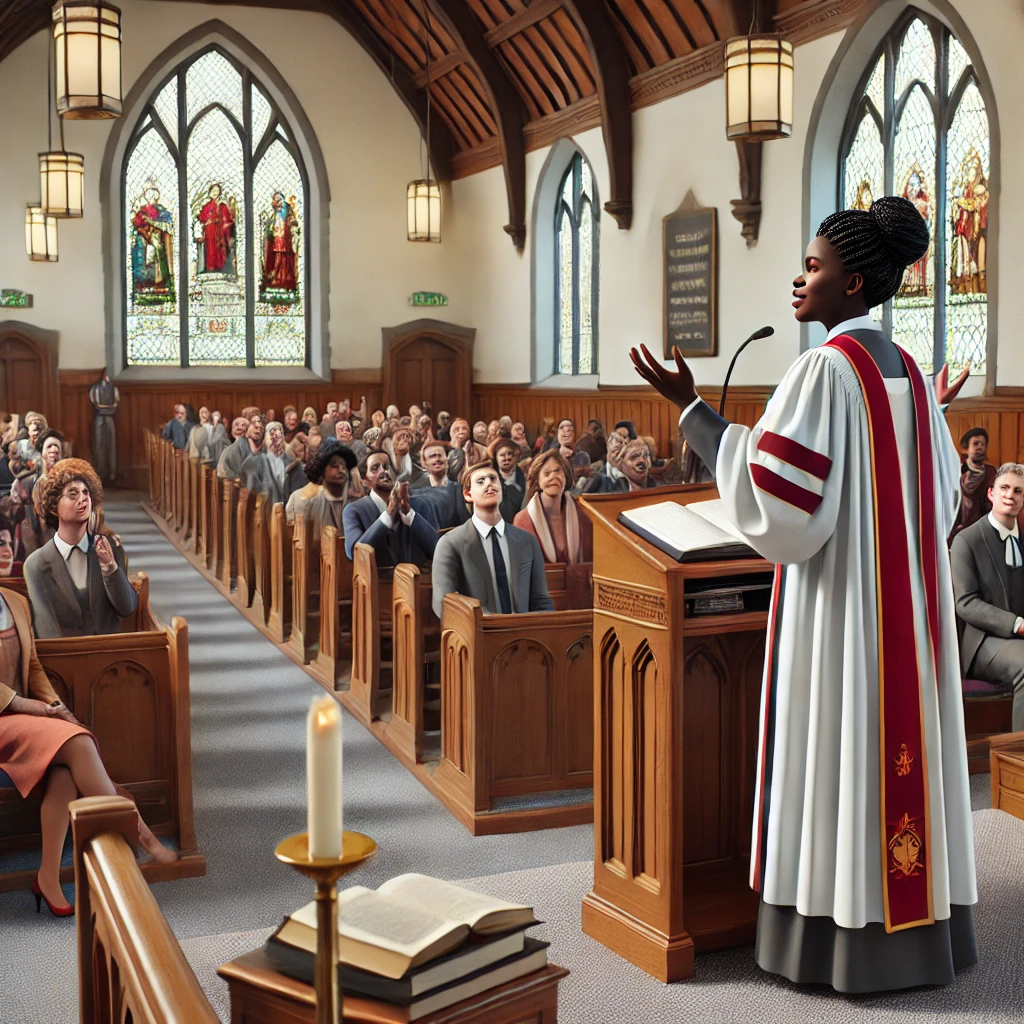 Transformative learning suggests that sermons and worship should not just reinforce existing beliefs, but also gently (or not-so-gently) challenge assumptions and encourage deeper faith exploration. Consider:
Sermons that Pose Questions: Instead of delivering answers, frame sermons around open-ended, challenging questions. Don't be afraid to leave the congregation to complete the sermon.
Liturgy That Engages Critical Reflection: Use confession, lament, and testimony to invite congregants into self-examination and perspective shifts. Challenge the congregation with opinions contrary to what they believe. Make them wrestle with conflicting values.
Art and Symbolism: Encourage deeper reflection through creative expressions—music, visual art, and drama that provoke new ways of seeing faith. Traditionally Christian worship (particularly in Protestant denominations) has been dominated by the "word." But not every expression of God's Spirit is reduceable to "logos." Consider using art. But don't tell people what it means--invite interpretation. This is especially rich if the community encounters the same art over a period of time, as "living with" art is a deeper experience than simply "encountering" it at one moment in time.
Transformative preaching is evocative and even, potentially, provocative. It moves the location of transformation from the pastor’s study to the hearts of the congregation as they become, in a sense, implicit characters in the sermon. A pastor seeking to transform members of the congregation holds them in mind during the creation process, carefully creating and sustaining tensions in worldview or homeletic expectation.
One useful question to set a preacher on a path towards this type of preaching might be "Why does this change everything?" The Gospel, by it's nature, ought to be disruptive: a once-in-the-universe direct intervention in history of an all powerful God. The ripples of the Jesus-event resonate through history. So how are those vibrations felt in the pew, today, and "how can I amplify them?" Thoughtful preachers and invited by Mezirow to reach beyond merely explaining God's Word to actually proclaiming it.
Implications for Online Faith Education
The rise of digital platforms like CHURCHx for faith education presents both opportunities and challenges for transformative learning. While much online education can sometimes feel passive, well-designed online programs can support deep transformation in several ways:
1. Facilitating Reflection Through Digital Media
Online Journaling and Discussion Boards: Structured prompts that encourage reflection on faith experiences can mirror in-person small-group discussions.
Video Testimonies and Podcasts: Sharing personal stories of transformation can be just as powerful online as in person.
Interactive Multimedia: Use documentaries, interactive Bible studies, or immersive digital storytelling to create disorienting dilemmas.
2. Creating Spaces for Critical Dialogue
Virtual Small Groups: Platforms like CHURCHx can host discussions that encourage critical assessment of assumptions.
Interfaith and Cross-Cultural Conversations: CHURCHx allows for global faith conversations, exposing participants to diverse perspectives.
Q&A Sessions with Faith Leaders: Livestreamed or recorded sessions where leaders discuss challenging faith questions can facilitate transformation.
3. Encouraging Action-Based Learning
Transformative learning is not complete until a person integrates their new perspective into life. Online faith education can support this through:
Service Learning Challenges: Encourage participants to engage in justice or community service projects and reflect on their experiences.
Spiritual Practices Apps: Guide users through new prayer practices or meditative reflections that reinforce transformed perspectives.
Digital Mentorship Programs: Connect learners with mentors who can guide them through faith struggles and shifts.
Final Thoughts and Further Reading
For CHURCHx, Mezirow’s theory challenges us to rethink faith formation as more than just knowledge transmission. Instead, we are called to be facilitators of transformation, helping people navigate faith shifts with wisdom and grace. Whether through networks, courses, or webinars, our role is to create environments where people can critically reflect, explore new perspectives, and ultimately deepen their faith in meaningful ways.
For further reading, consider:
Jack Mezirow, “Transformative Dimensions of Adult Learning” (1991) – The foundational book on transformative learning.
Parker J. Palmer, “To Know as We Are Known: Education as a Spiritual Journey” – A great companion read on faith and transformative learning.
Stephen Brookfield, “Becoming a Critically Reflective Teacher” – Insights into guiding reflection in faith education.
By embracing transformative learning in our faith communities, we can create spaces where spiritual growth is not just about learning more, but about becoming more.
CHURCHx was always always intended to be used to improve the spiritual lives of students, and many of the programmes partners have developed are intended to do this, but sometimes it's difficult to assess the impact these courses and programmes are having. That's why I recently add the "Spiritual Index of Well-Being" as one of the survey types available by default in the "Feedback" activity.
If you are a teacher or facilitator, you can add this tool as an activity in your course or network. To use the SIWB, simply add the "Feedback" activity to a course, choose "save and display." As a manager or teacher you'll then see options to configure the activity. Pick "Templates" and then choose the "Spiritual Index of Well-Being" template. Select "Use this template" and the the activity will be nearly ready to go. In settings you can configure whether students can take the survey once or multiple times. Note that you could create two instances of the survey--one at the beginning of the course and one at the end--if you want to create a before and after comparison. You can also lock the availability of the "after" version of the survey to make sure it isn't filled out prematurely. To learn more about the SIWB survey, I suggest reading the original paper that published it, which you can find here. Basically, the instrument measures two factors: Self-efficacy (questions 1-6) and Life Scheme (questions 7-12). "Self-efficacy" assesses confidence in finding meaning and purpose in life. "Life Scheme" evaluates the coherence and integration of personal beliefs and values. Simply total the answer values in each scale to get a score. Using the "Analysis" tab you can see a breakdown of how the students in the course answered each question, but it's probably easiest to simply download the results as an XLS and run calculations on in there. If anyone needs help doing that, let me know and I'll see about creating an XLS template to make it easier.
Eventually I plan to add some other spirituality and even mental health instruments as templates into CHURCHx. I started with this one because it's short (12 questions) and pretty easy to deploy. As always, if you use this instrument please treat the answers as health information and protect the confidentiality of participants. Do not publically release the scores of individuals, though aggregated data without personal identifying information is okay.
Standardized instruments like this may feel a bit cold and clinical, especially in a spirituality and faith context where so much is personal, individiualized, and diverse. Yet there are many cases where it's reasonable to ask "is this working?" and to tools like this can create a relatively easy way to get valuable feedback necessary to improve our efforts.
If you want see more standardized tools like this added to the platform, please let me know! Other ones I'm investigating include:
- Spiritual Well-Being Scale (SWBS)
- Brief Multidimensional Measure of Religiousness/Spirituality (BMMRS)
- Sense of Community Index (SCI)
- Psychological Sense of Community Scale (PSCS)
- Brief Sense of Community Scale (BSCS)
I should also point out that the "survey" tool in CHURCHx already includes common instruments to measure the effectiveness of online learning:
- COLLES (Constructivist On-Line Learning Environment Survey): Evaluates the relevance, reflection, interactivity, tutor support, peer support, and interpretation within the online learning context.
- ATTLS (Attitudes to Thinking and Learning Survey): Assesses students' preferences towards connected knowing (empathy-based learning) versus separate knowing (critical thinking).
- Critical Incidents: Encourages students to reflect on specific moments during the course that were particularly engaging or distancing.
If you have more questions about these instruments or how to use them on CHURCHx, please don't hestitate to reach out to me!